Editing and Formatting Axes, Manipulating Data in Tableau data, Pivoting Tableau data.
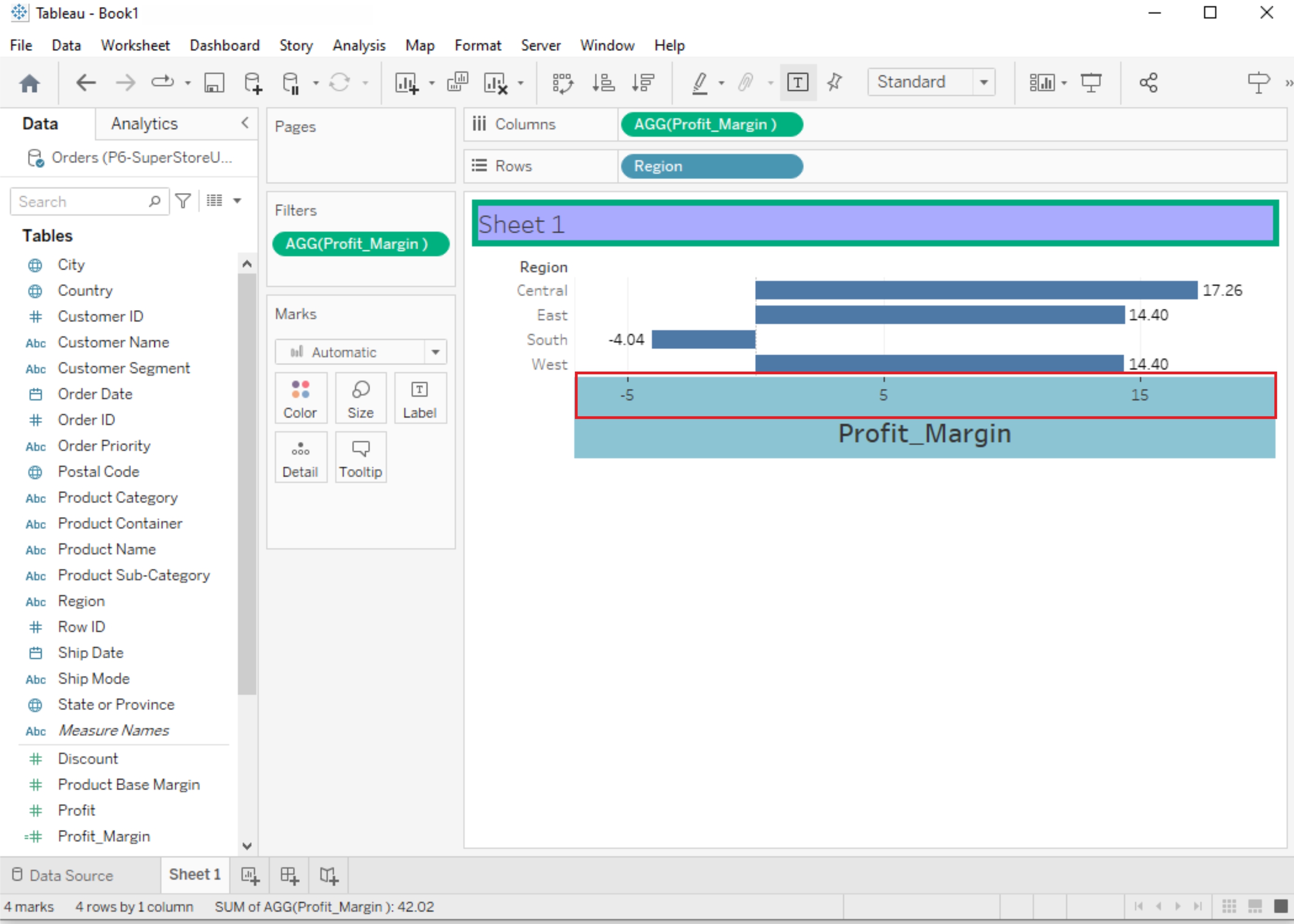
Editing and Formatting Axes:
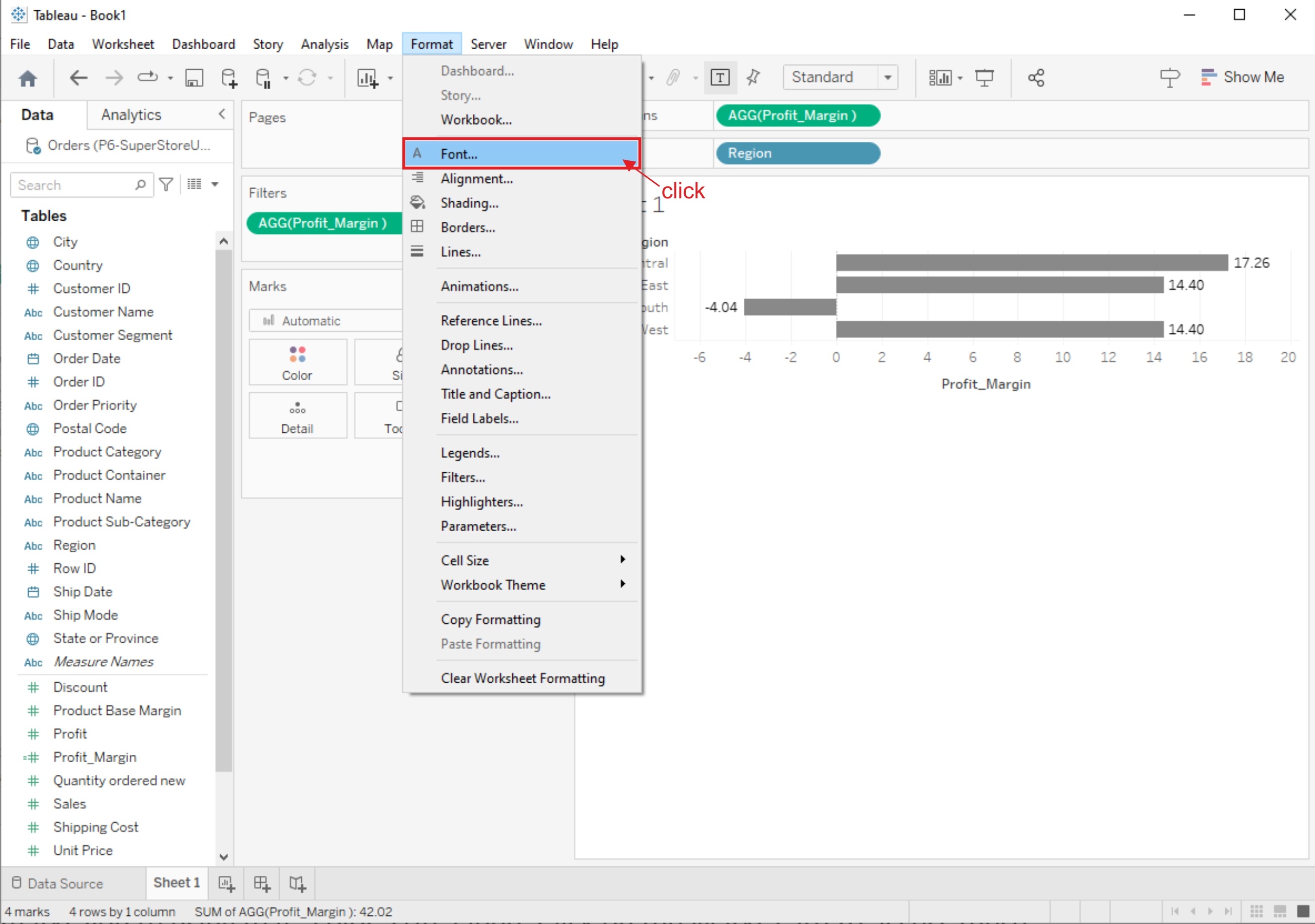
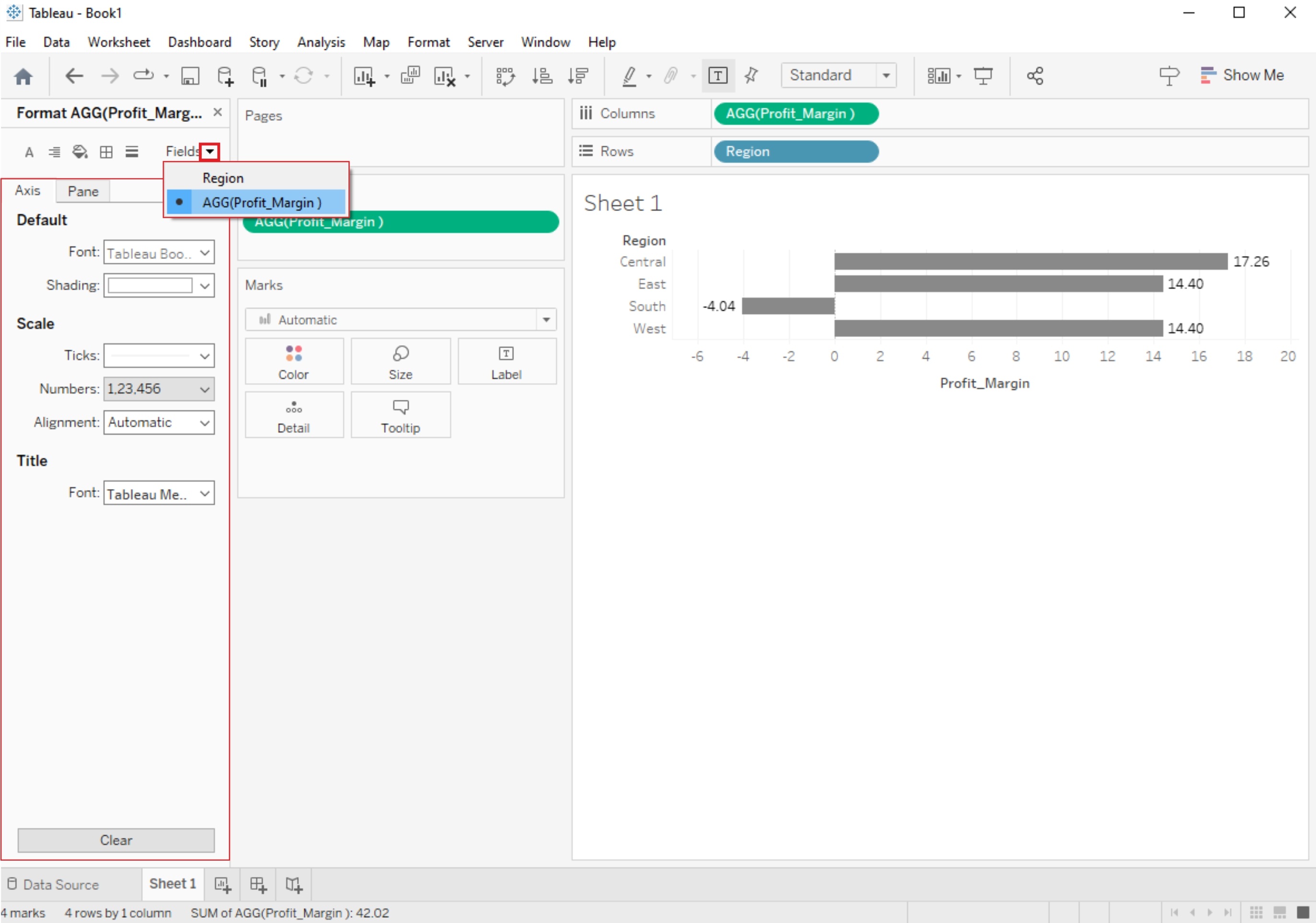
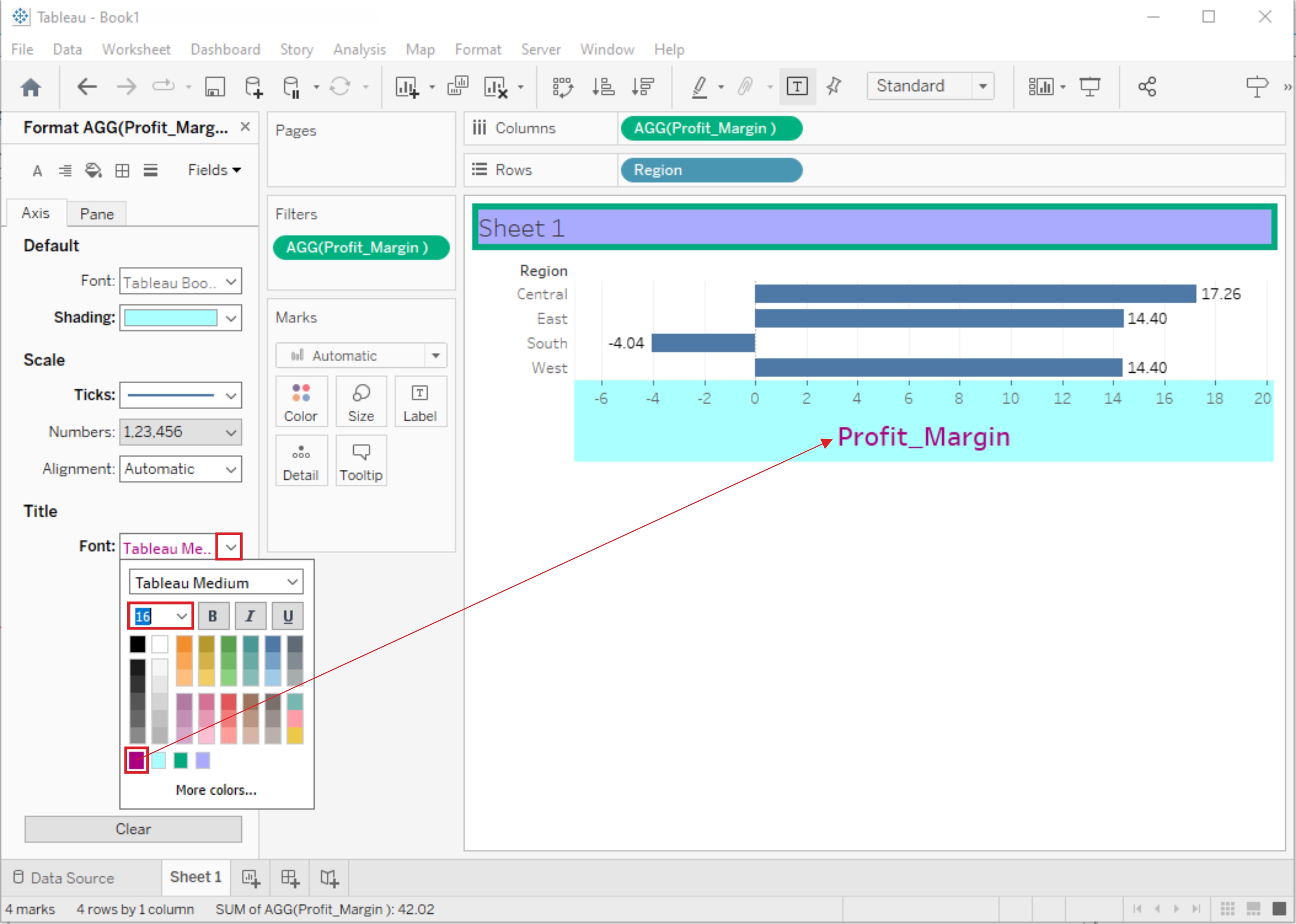
1. Edit Axis Title:
- Click on the axis title you want to edit.
- You can now modify the title text, font, size, color, and alignment using the Format pane or the toolbar at the top.
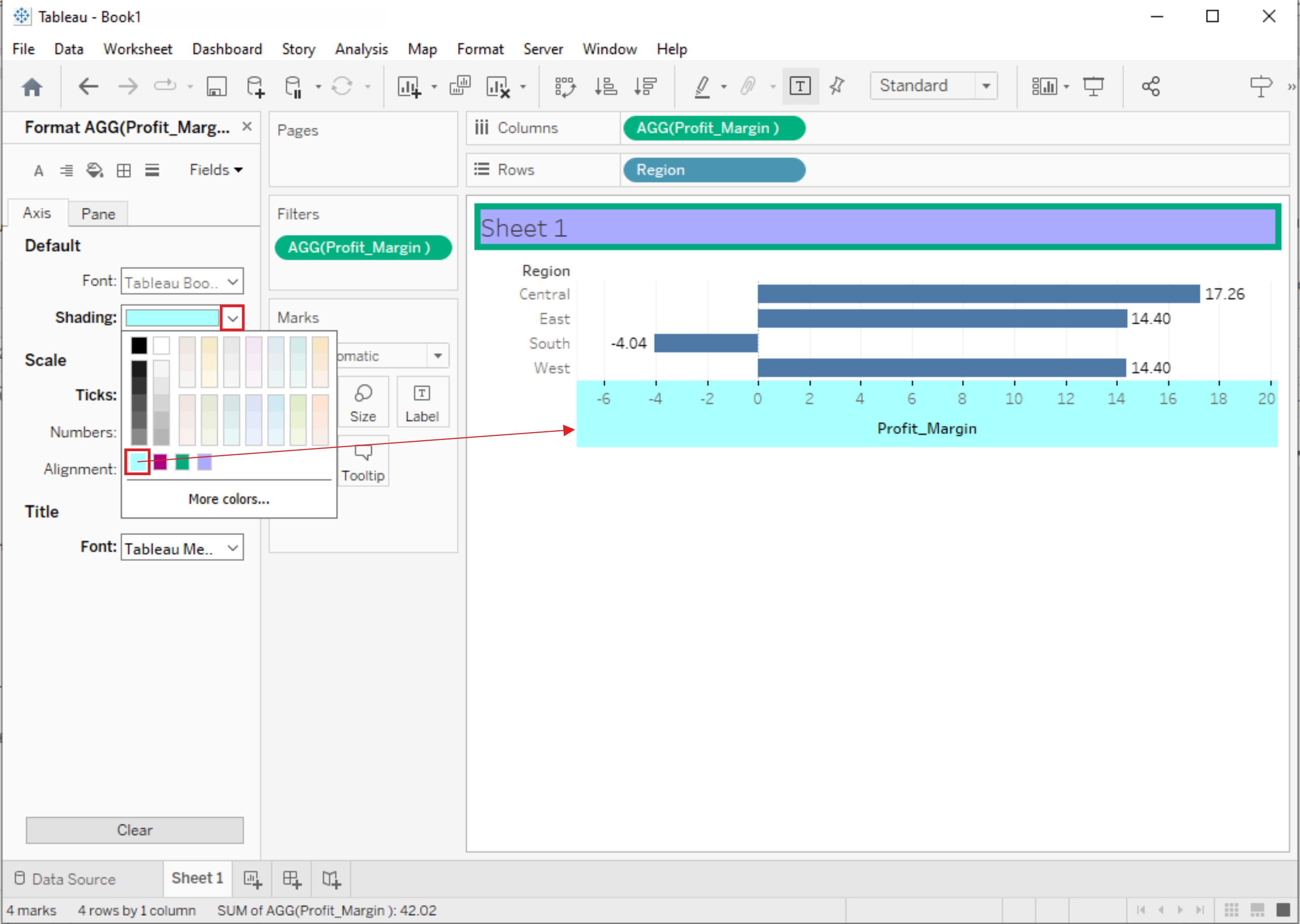
2. Edit Axis Labels:
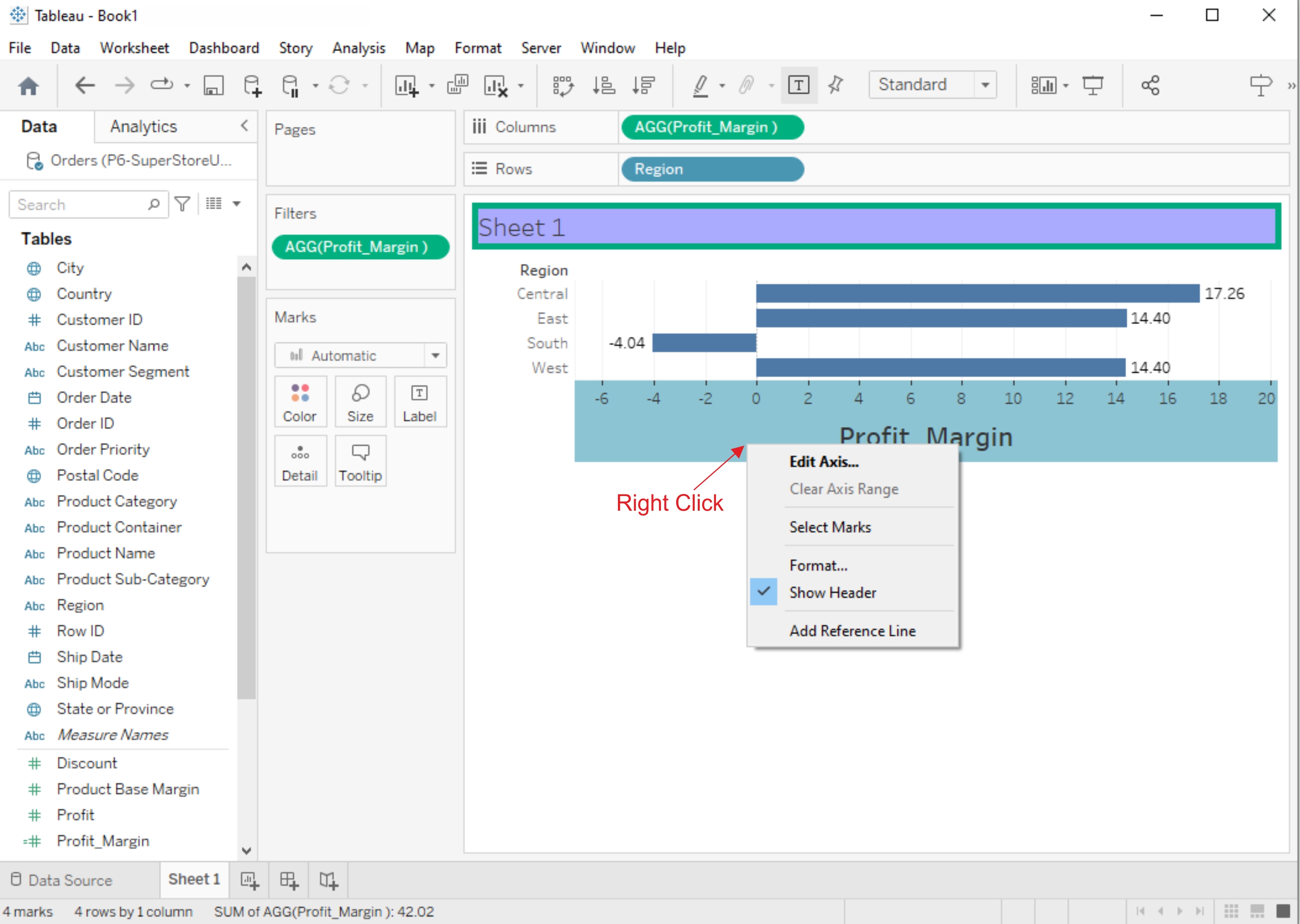
- Right-click on an axis and select "Edit Axis."
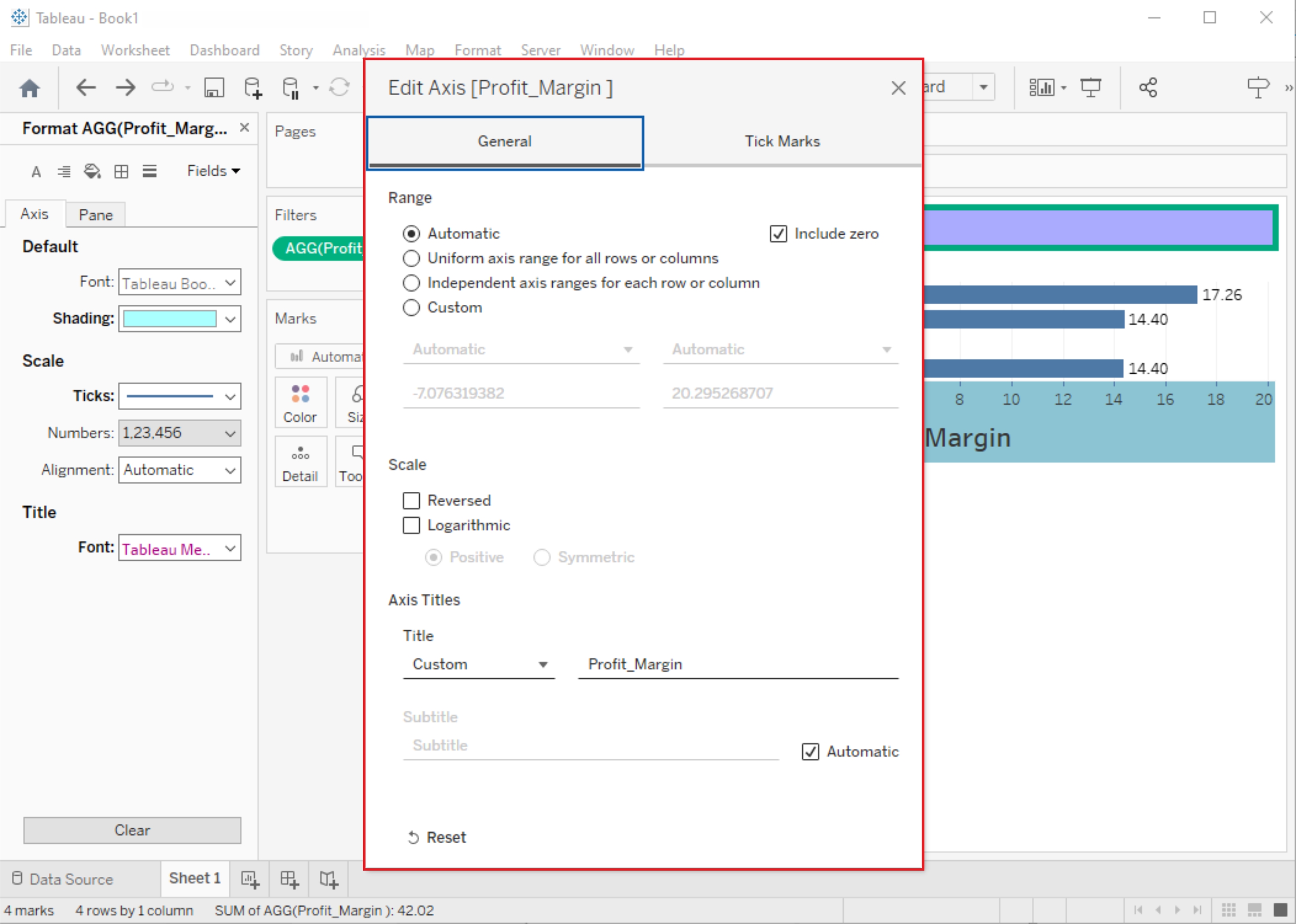
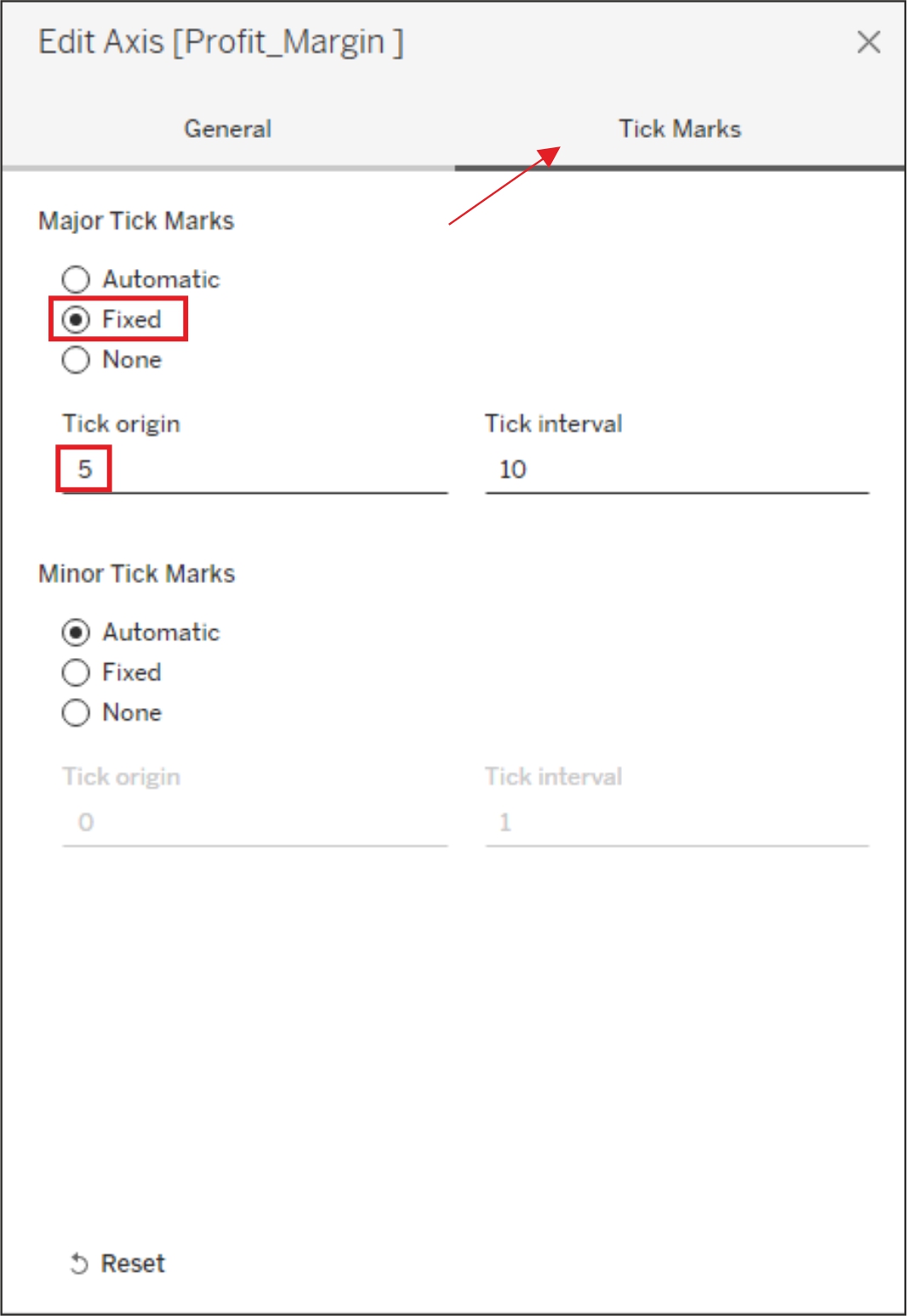
- In the Edit Axis dialog box, you can change the formatting of labels, tick marks, and other axis-related properties.
3. Scale and Range:
- To change the scale or range of an axis, right-click on it and select "Edit Axis."
- In the dialog box, adjust the Minimum and Maximum values, scale, or range according to your needs.
Manipulating Data in Tableau data
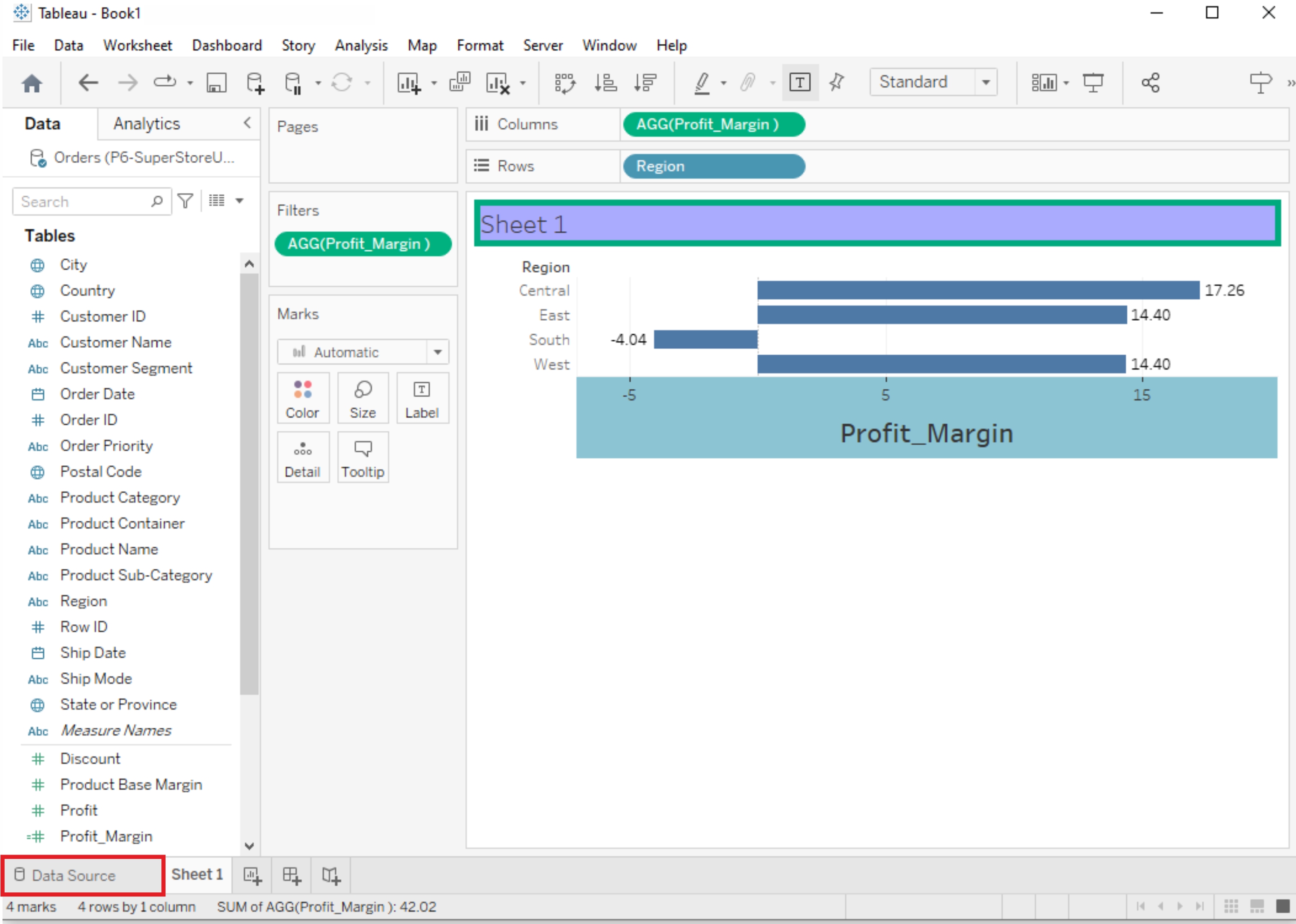
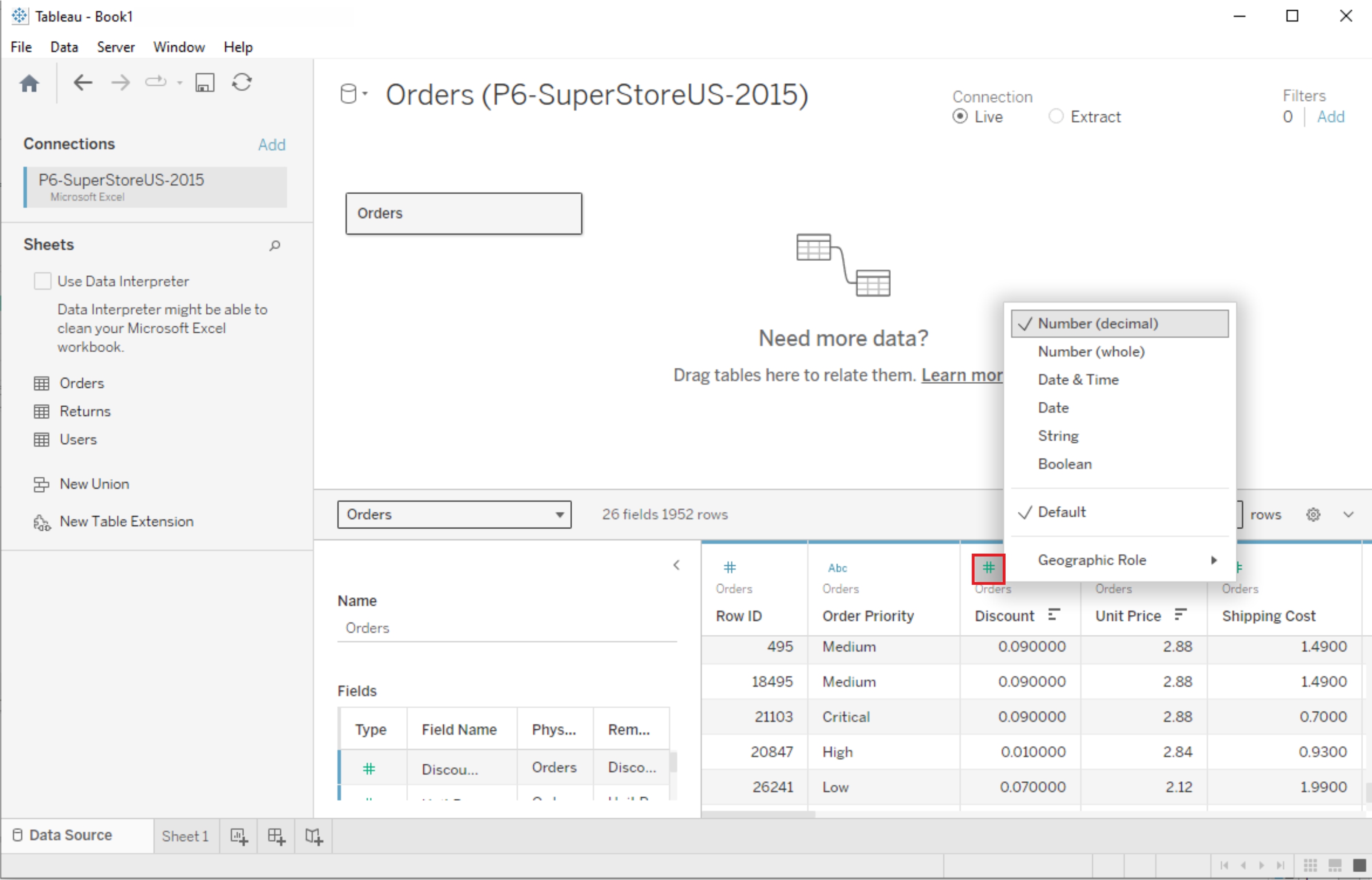
Change Data Type
If Tableau has inferred a wrong data type for a column, the data type can be changed by clicking on the data type symbol in the column header
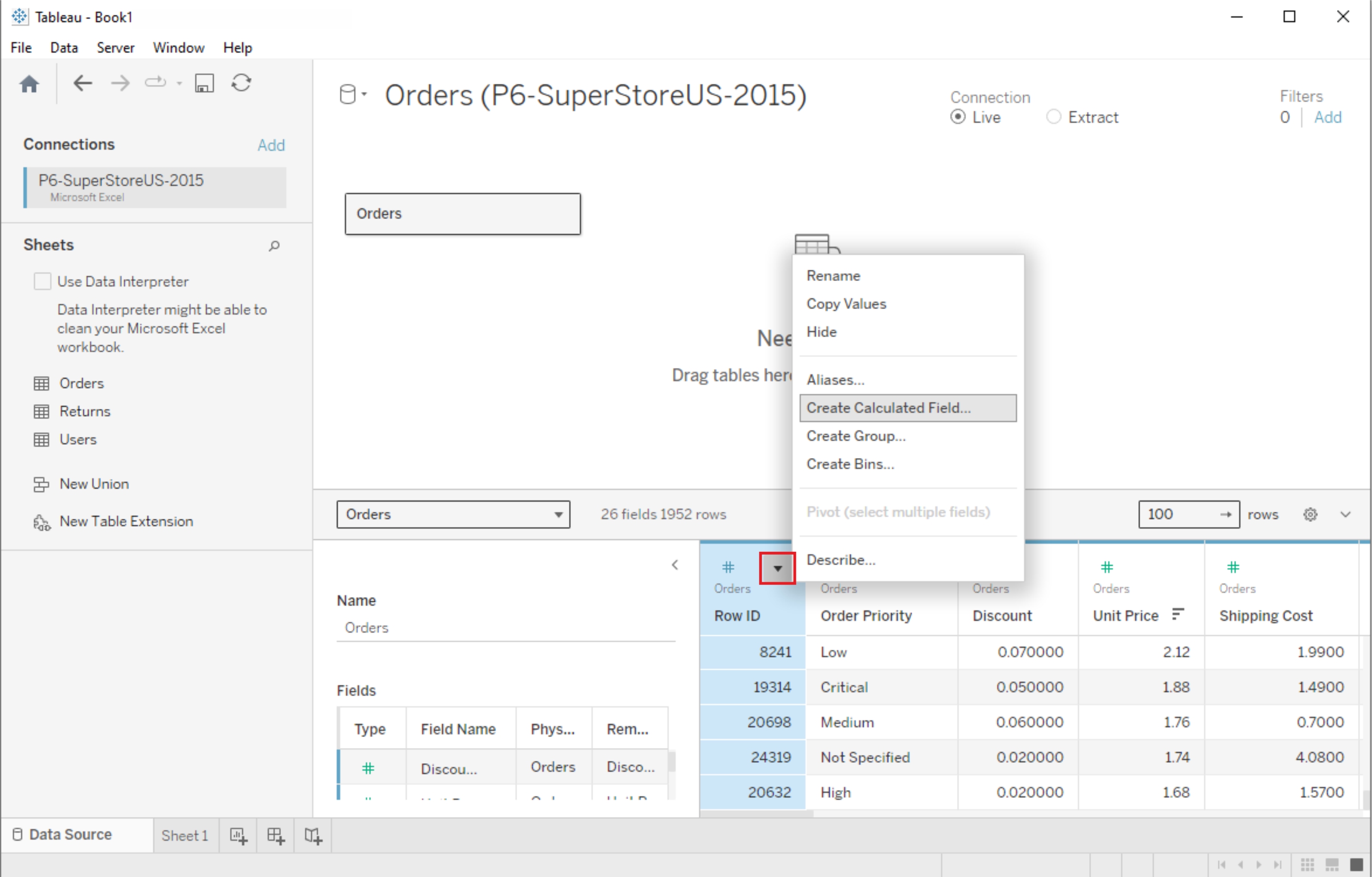
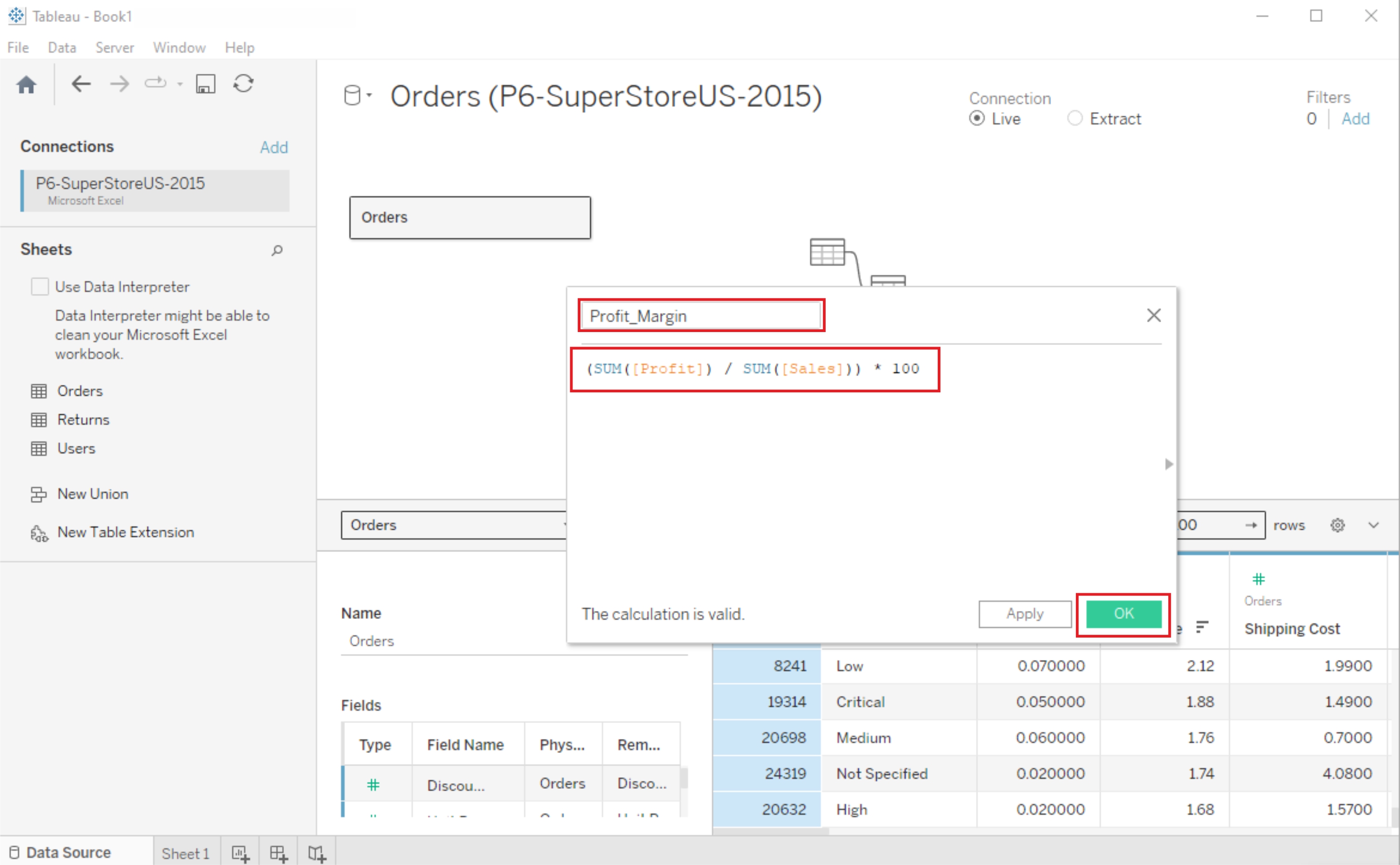
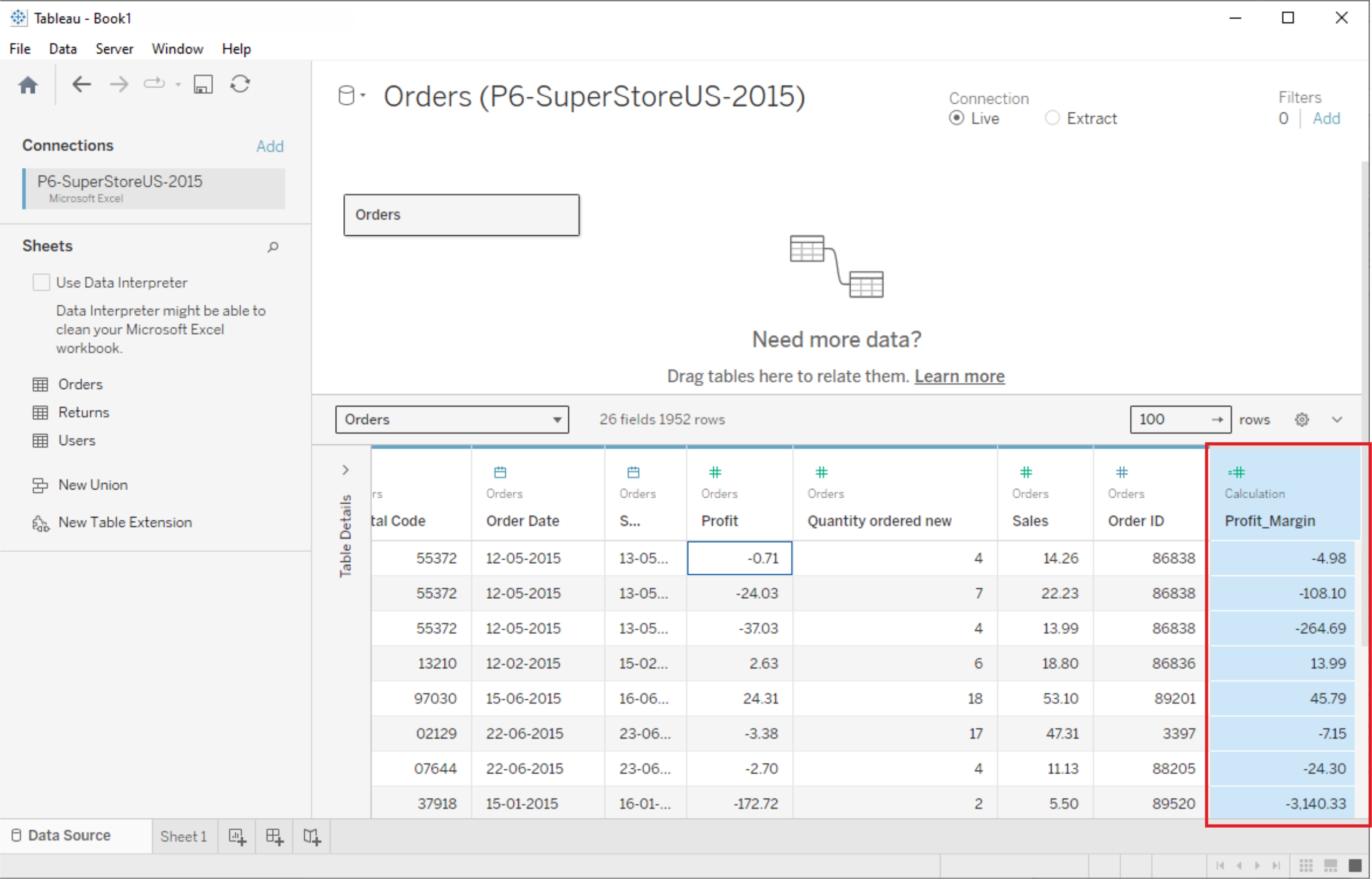
New Column(Calculated Fields)
Calculated fields can be used if you need to create customized logic for manipulating certain data types or data values. There are a large-range of functions available in Tableau that can used individually or collectively for data manipulation
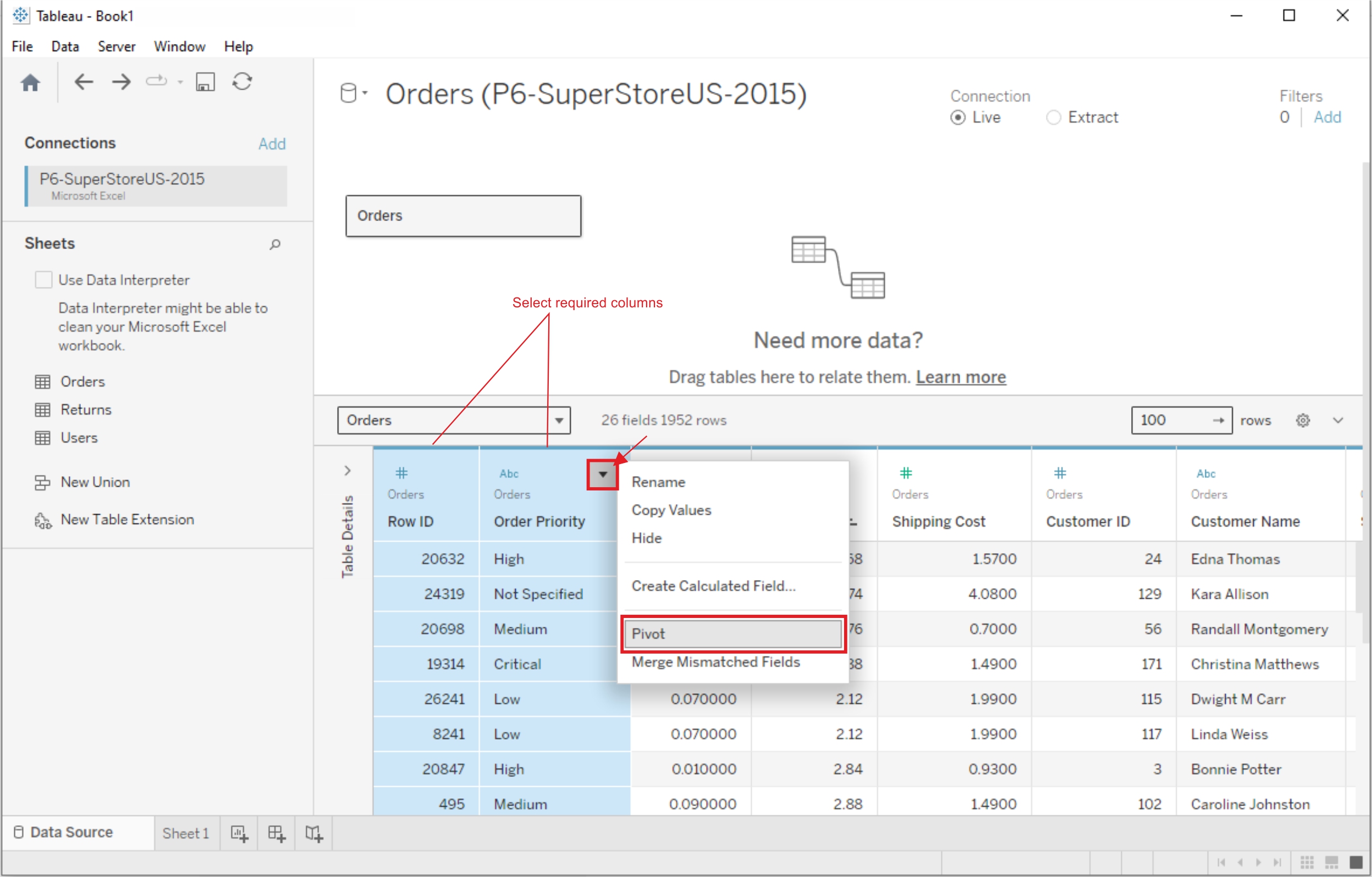
Pivoting Tableau data
Data pivoting enables you to rearrange the columns and rows in a report so you can view data from different perspectives