Running R
After installing R in our system, there are several ways to work with R.
Using command prompt
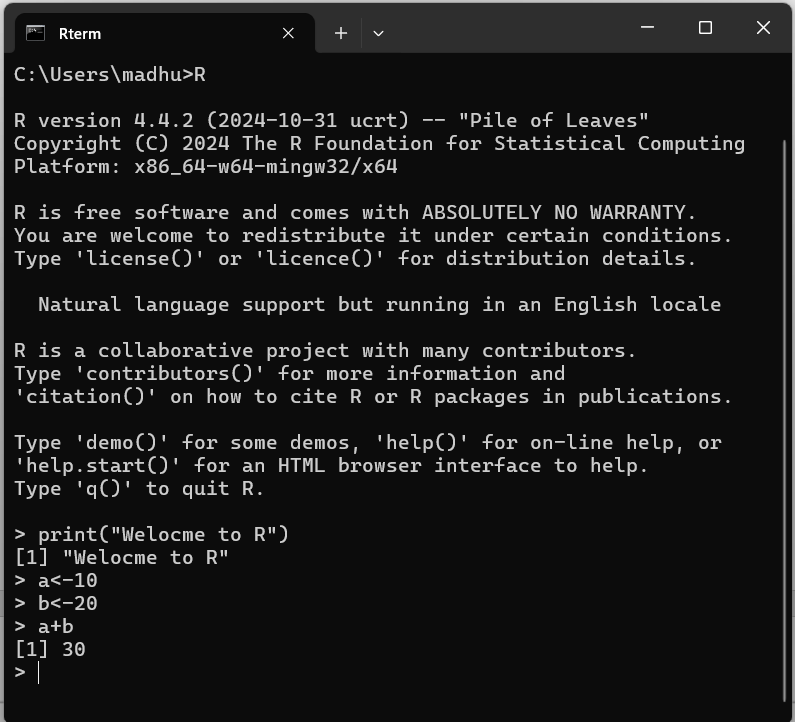
To start the R command prompt, just type R in the Windows command prompt. After pressing enter, the interpreter will open, and you will see a prompt where you can write your code.
Using R Gui app
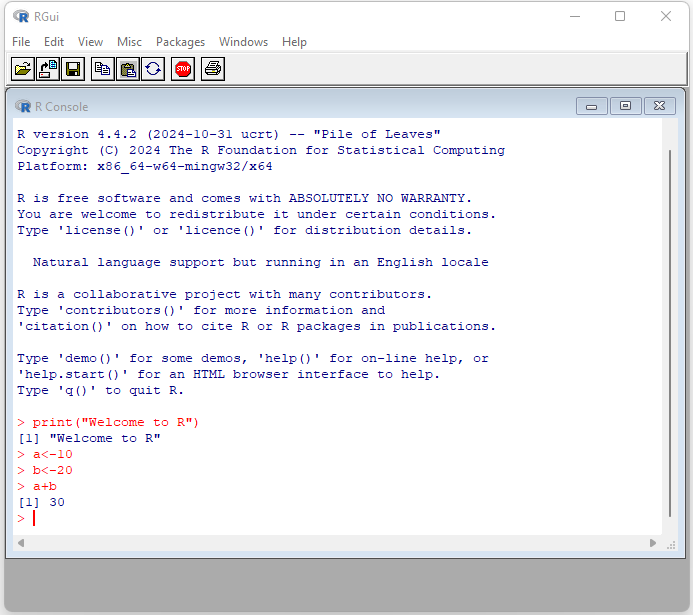
To start working with R, open the R 4.4.2 app from the Start Menu. Your screen will then appear as shown below.
R Script File
The R script file is another method to write our programs (set of instructions).
To create an R Script file, just open a text editor and type in your code. After that, save the file with a .R extension.
We can run these scripts from the command prompt using the R interpreter called Rscript.
Syntax: Rscript filename.R
Example:
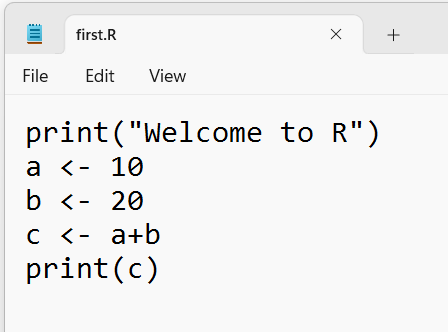
To start, Open Notepad, type the code, and save the file as first.R, as shown below.
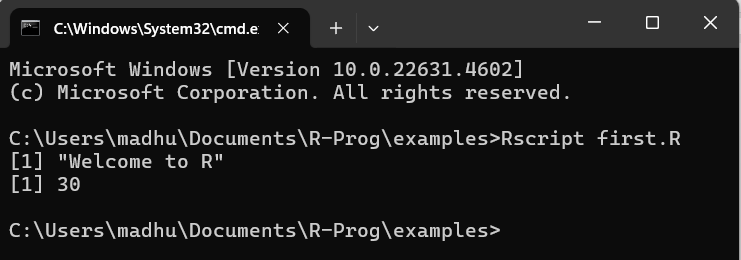
Next, Open the command prompt from your current location and enter the following command to execute the R script file.
Rscript first.R