Writing CGI scripts
CGI (Common Gateway Interface) is a standard protocol that allows a web server to communicate with external programs or scripts to generate dynamic web pages.
In simple words, CGI allows a website to execute a program on the server and display the program's output in a web browser.
Example: When a user enters their name in a web form and clicks the Submit button, a CGI script can process the name and display a personalized welcome message.
What is a CGI Script?
A CGI script is a program executed by a web server to process user requests and generate dynamic content.
Ruby makes it easy to write CGI scripts because it provides a built-in cgi library that helps handle web requests and responses.
Working of CGI
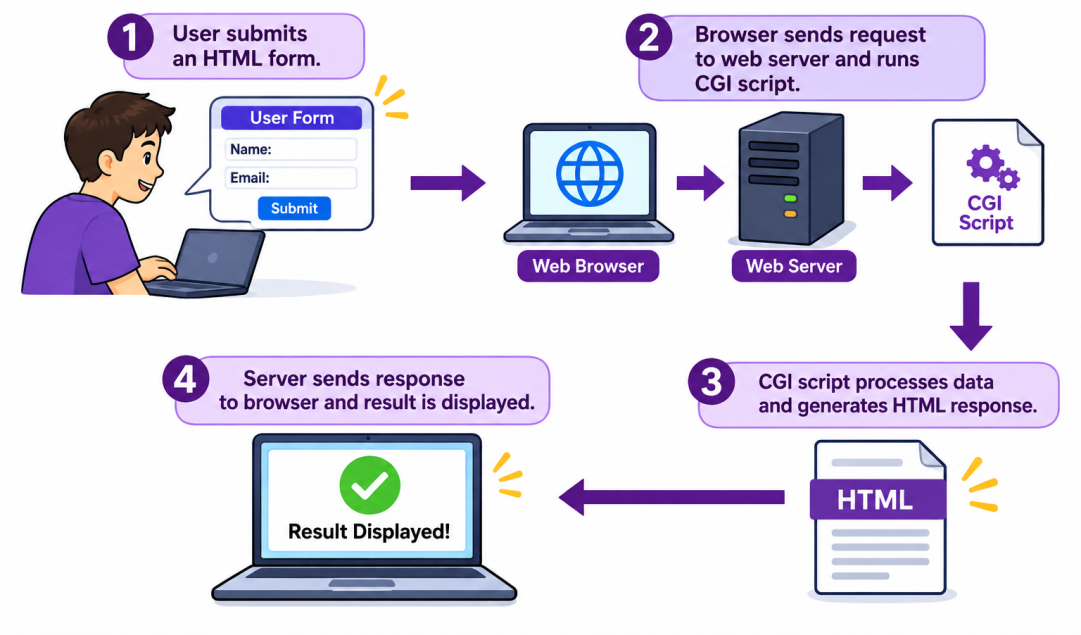
The following steps explain how CGI works:
- The user opens a website using a web browser and submits information through an HTML form.
- The web browser sends the request to the web server, and then the web server executes the appropriate CGI script.
- The CGI script processes the submitted information and generates an HTML response.
- The web server sends the response to the browser, and then the browser displays the result to the user.
Writing CGI Scripts in Ruby
Ruby provides a built-in library called cgi for writing CGI scripts.
Structure of a Ruby CGI Script
A basic Ruby CGI script contains the following parts:
1. Import CGI library
require 'cgi'The above command loads the CGI library.
2. Create a CGI object
cgi = CGI.newIt creates an object to handle CGI requests.
3. Generate HTTP header
puts "Content-Type: text/html"
puts ""
It generates the HTTP response header, including the content type.
4. Generate HTML output
puts "<html>"
puts "<body>"
puts "<h1>Welcome to Ruby CGI</h1>"
puts "</body>"
puts "</html>"
It displays the HTML content in the browser.
Execute a simple Ruby CGI program
Example: welcomecgi.rb#!C:/Ruby40-x64/bin/ruby.exe
# Import CGI library
require 'cgi'
# Create a CGI object
cgi = CGI.new
# Generate HTTP header
puts "Content-Type: text/html"
puts ""
# Generate HTML output
puts "<html>"
puts "<body>"
puts "<h1>Welcome to Ruby CGI Programming</h1>"
puts "<p>This is my first CGI script.</p>"
puts "</body>"
puts "</html>"ruby welcomecgi.rb
Content-Type: text/html
<html>
<body>
<h1>Welcome to Ruby CGI Programming</h1>
<p>This is my first CGI script.</p>
</body>
</html>Execute the CGI program in a web browser
Step 1: Install Apache (web server)
Download the Windows version of Apache from: https://www.apachelounge.com/download/
Extract the downloaded files. For this example, assume Apache is located at:
C:\Apache24Step 2: Configure Apache
-
Open this configuration file using Notepad:
C:\Apache24\conf\httpd.conf -
Find the following line:
Remove the # at the beginning.#LoadModule cgi_module modules/mod_cgi.so -
Now add the following configuration:
Note: Keep only one ScriptAlias directive for /cgi-bin/.ScriptAlias /cgi-bin/ "C:/Apache24/cgi-bin/" <Directory "C:/Apache24/cgi-bin"> Options +ExecCGI AddHandler cgi-script .rb Require all granted </Directory> -
Next, search for:
Add or modify the line as follows:#ServerName www.example.com:80ServerName localhost:80 - Save the file.
Step 3: Create the CGI script
Create a file named welcomecgi.rb inside:
C:\Apache24\cgi-binStep 4: Start Apache
Open Command Prompt as Administrator and execute the following commands:
cd C:\Apache24\bin
httpd.exe -t
If the configuration is correct, you should see:
Syntax OKNow start Apache using the following command:
httpd.exeStep 5: Run the CGI script
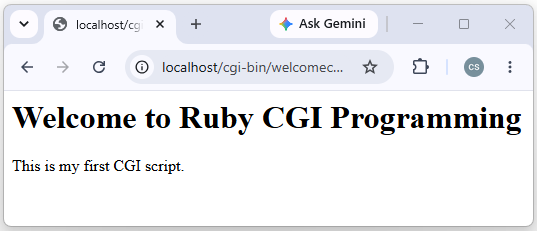
Open your browser and enter: http://localhost/cgi-bin/welcomecgi.rb
Output:
Example: CGI program with HTML Form
In this example, we accept user input from an HTML form.
-
Create userinput.html inside:
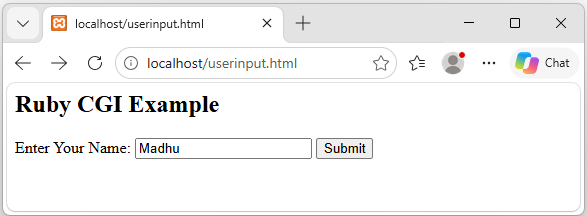
with the following code:C:\Apache24\htdocs<html> <body> <h2>Ruby CGI Example</h2> <form action="/cgi-bin/readinput.rb" method="get"> Enter Your Name: <input type="text" name="username"> <input type="submit" value="Submit"> </form> </body> </html> -
Create readinput.rb with the following code in
C:\Apache24\cgi-bin\:
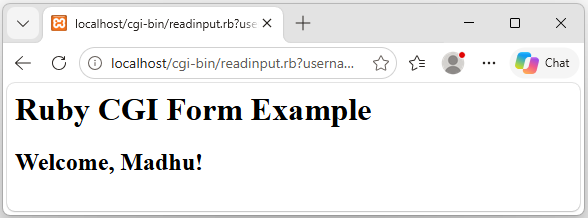
#!C:/Ruby40-x64/bin/ruby.exe gem 'cgi', '0.5.2' require 'cgi' cgi = CGI.new name = cgi.params['username'].first.to_s puts "Content-Type: text/html" puts "" puts "<html>" puts "<body>" puts "<h1>Ruby CGI Form Example</h1>" puts "<h2>Welcome, #{CGI.escapeHTML(name)}!</h2>" puts "</body>" puts "</html>" -
Install the CGI gem using the following command:
gem install cgi -
Open the following URL in the browser:
http://localhost/userinput.html
After clicking on the Submit button,