
Load a dataset from the available data sets in the WEKA tool.
Load a dataset from the available data sets:
Description:
We need to load a dataset from the available data sets to perform various operations like preprocess, classify, clustering, associations, and visualization.
Procedure:
Steps:
1) Open the Weka GUI Chooser
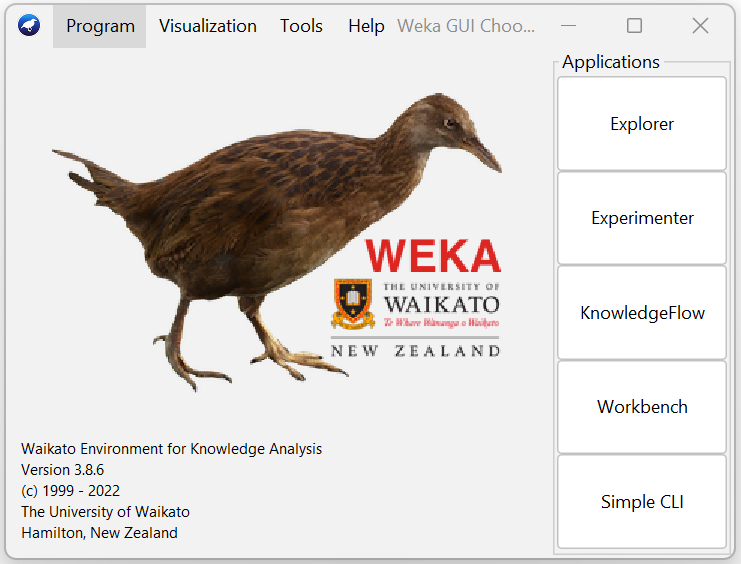
2) In that Weka GUI chooser there are five applications, click on Explorer.
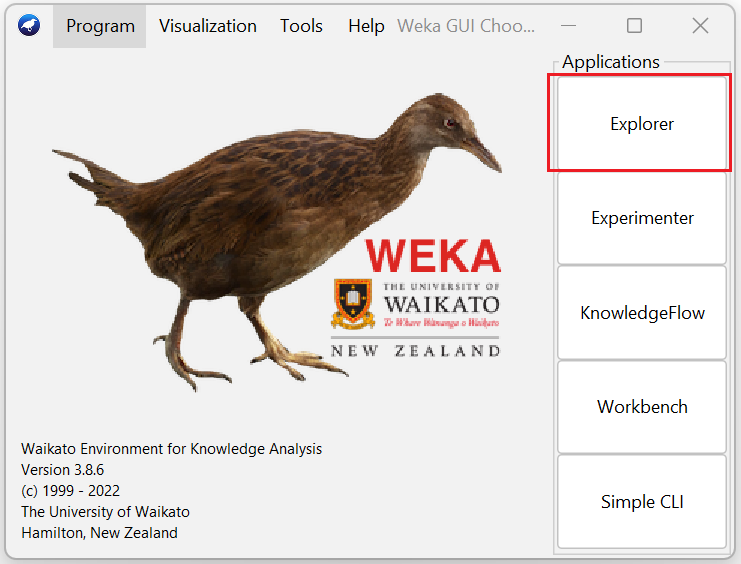
3) Explorer shows many options. In that click on 'open file...' button. And then choose WEKA folder in C drive.
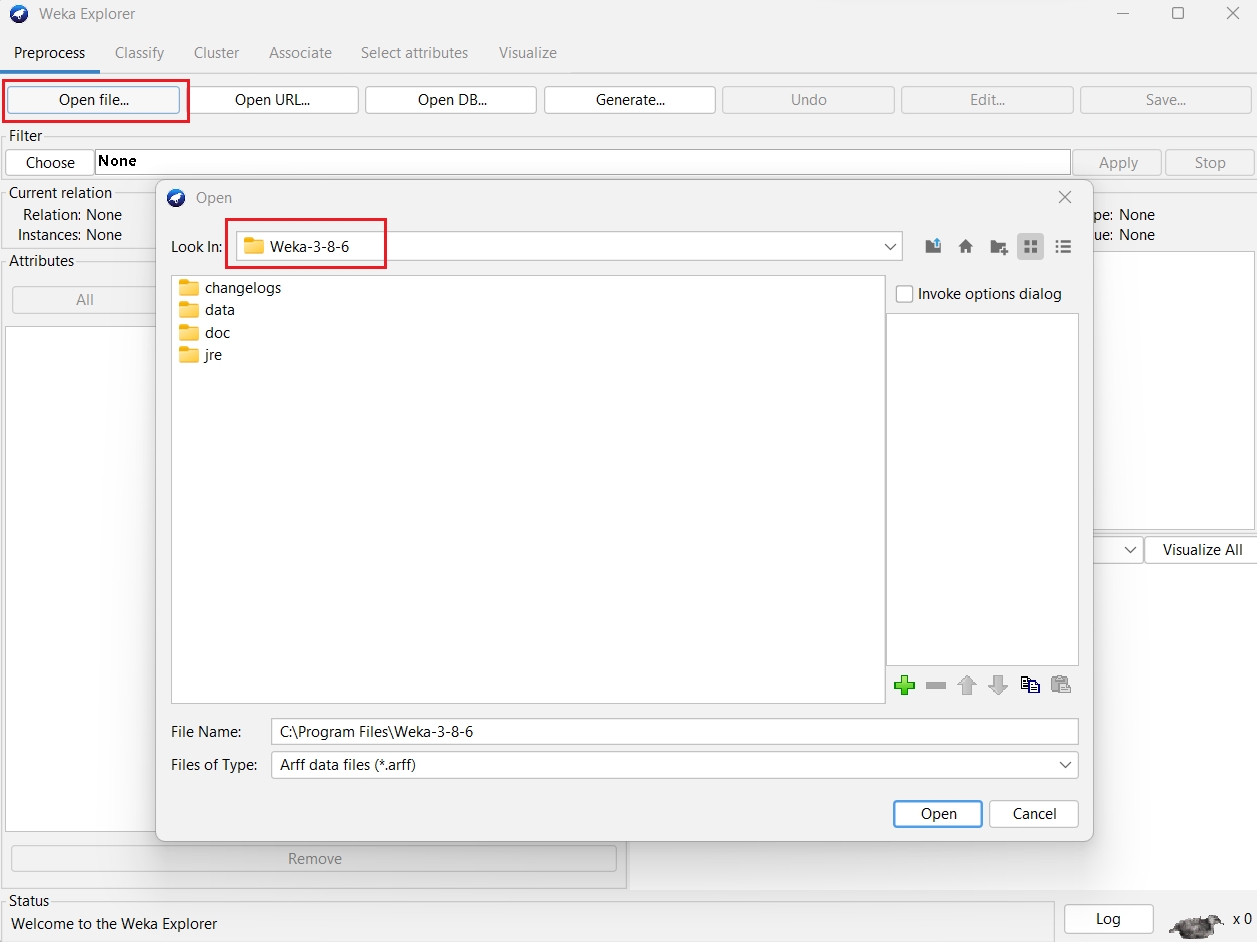
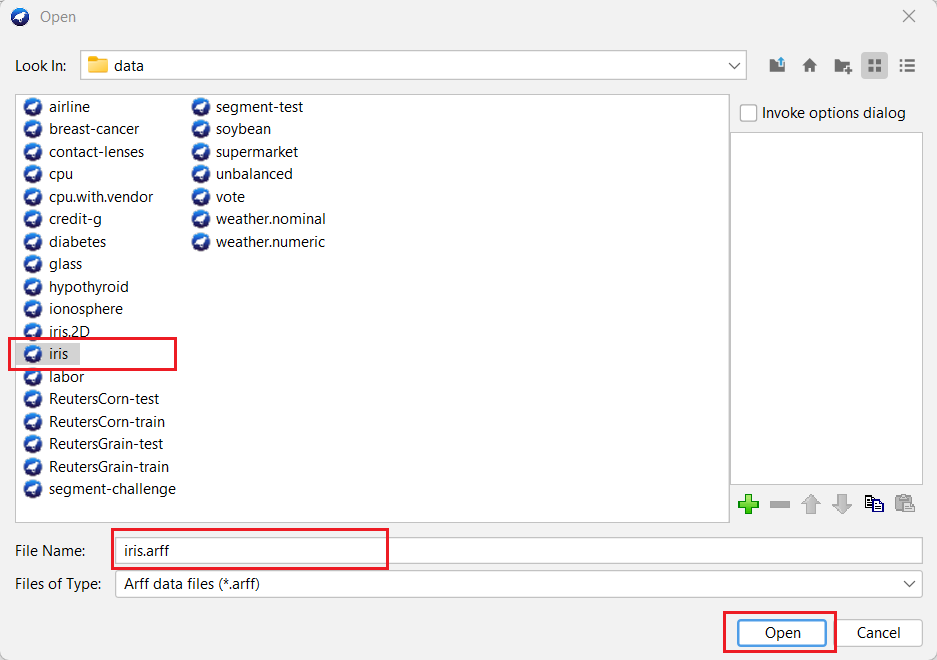
4) Select and click on the data folder.
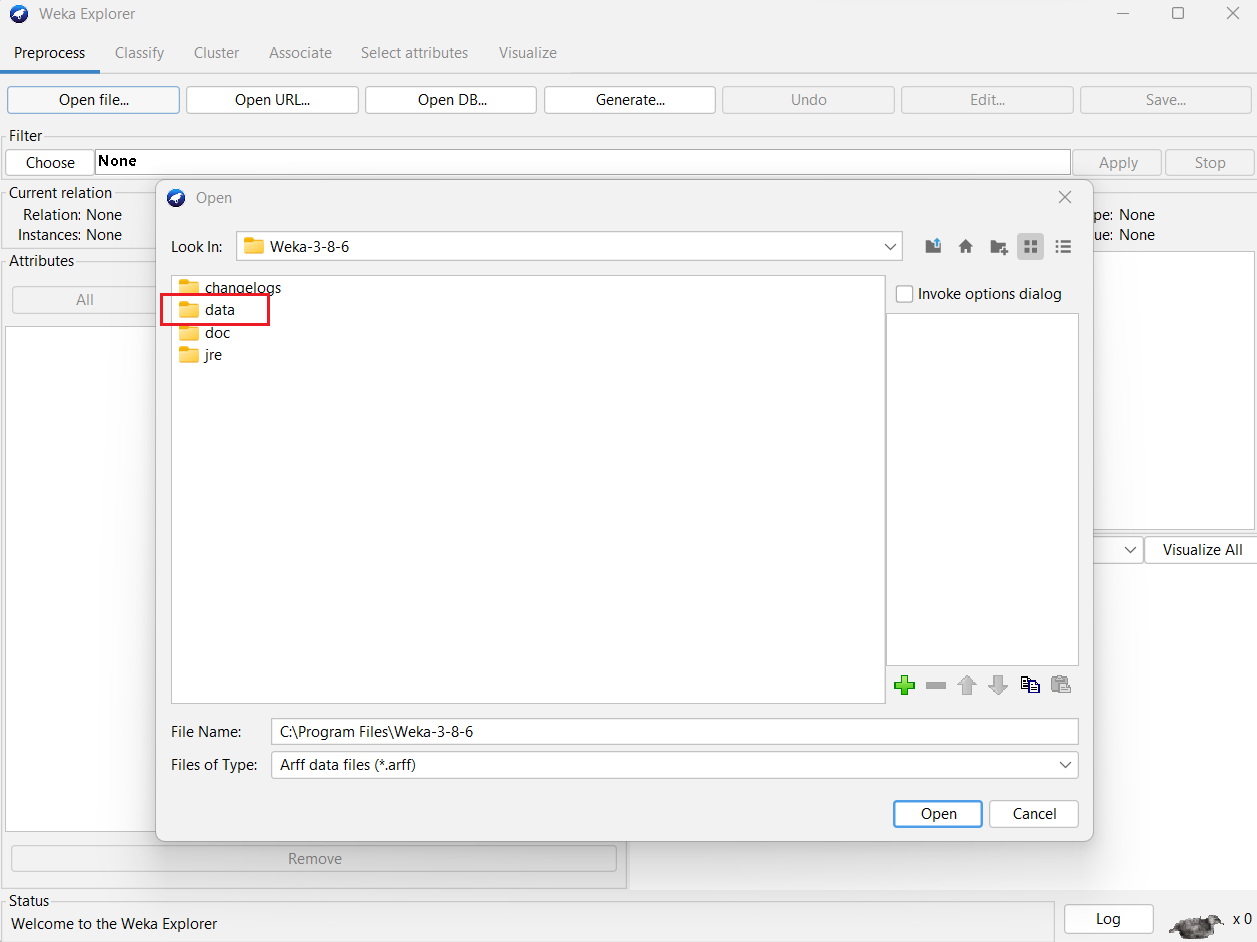
5) Select a dataset (iris. arff) from list of available datasets and Click on the Open button.
6) Then displays the following window.
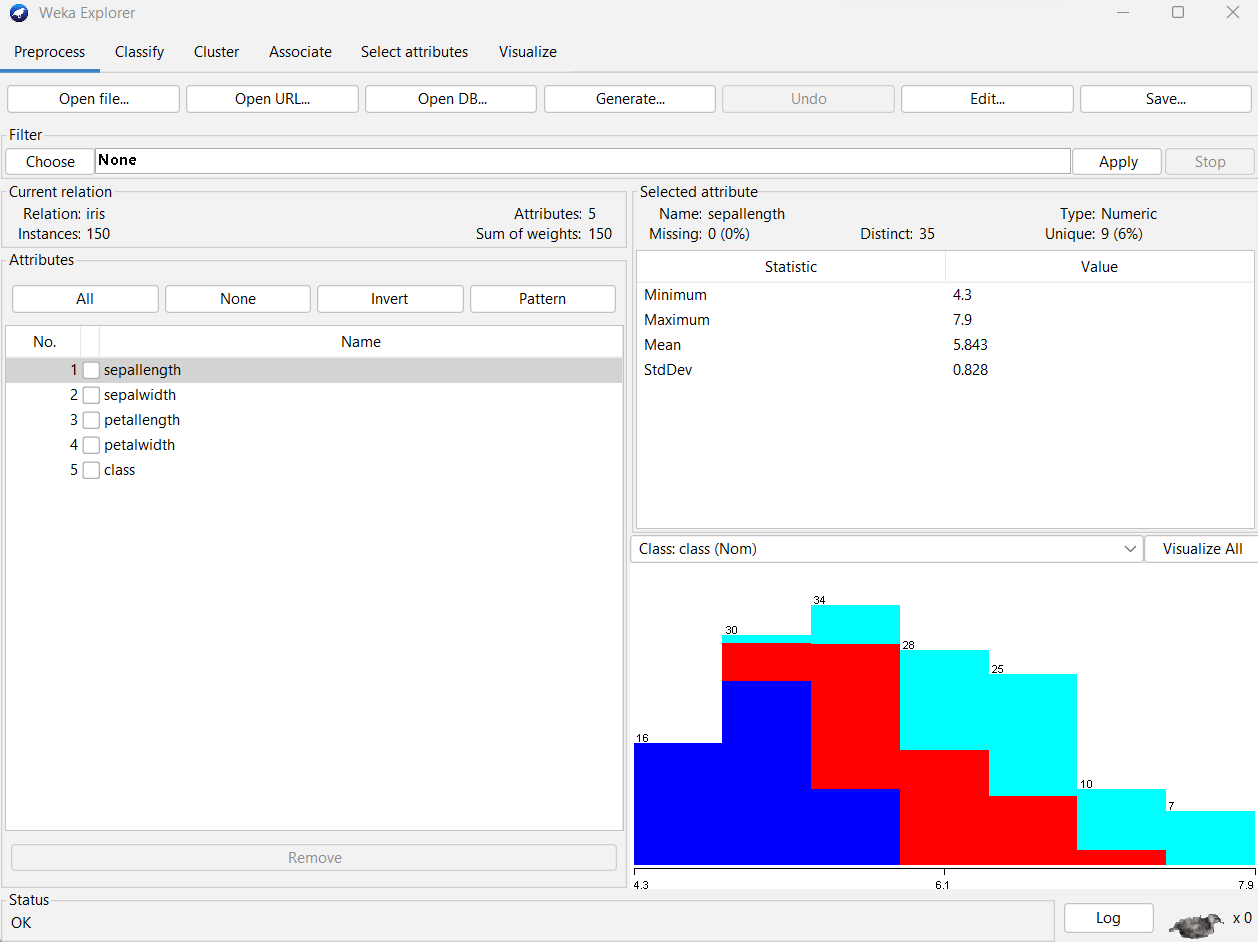
Result:
The dataset (iris.arff) loaded successfully form the available data sets in the WEKA tool.