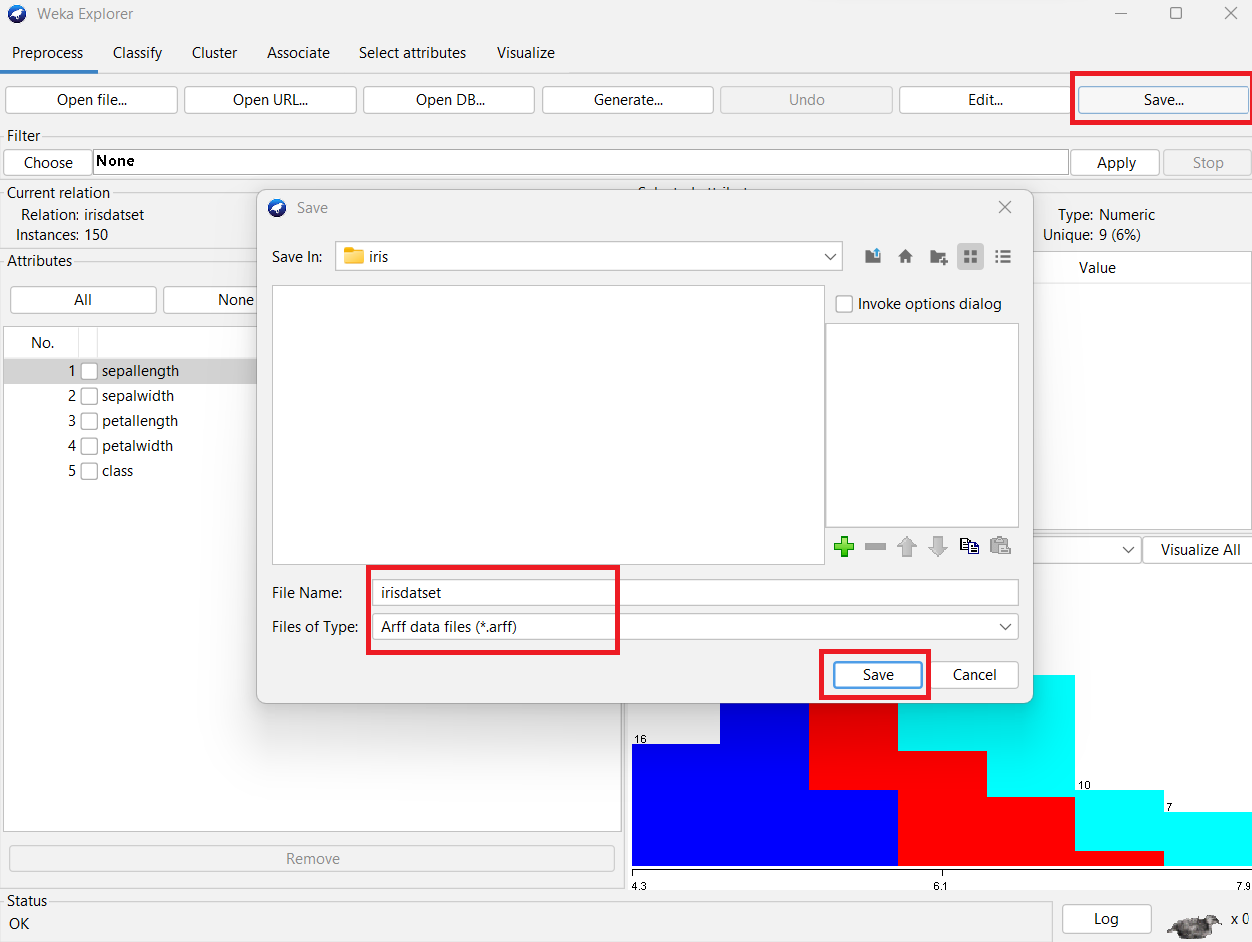
Conversion of a Text file into ARFF (Attribute-Relation File Format) using Weka tool.
Description:
Most of the data that has been gathered from public forums is in a textual format that is incompatible with the Weka tool. As Weka, a data mining tool, exclusively recognizes data in the ARFF format, it is necessary to convert the text file into an ARFF file. .
Conversion of Text File into ARFF File :
Procedure:
Steps:
1) Download any data set from a public forum (E.g.: UCI data repository.)

2) Open the downloaded data file using notepad.

3) Add one row at the top of the data and Enter header for each column.

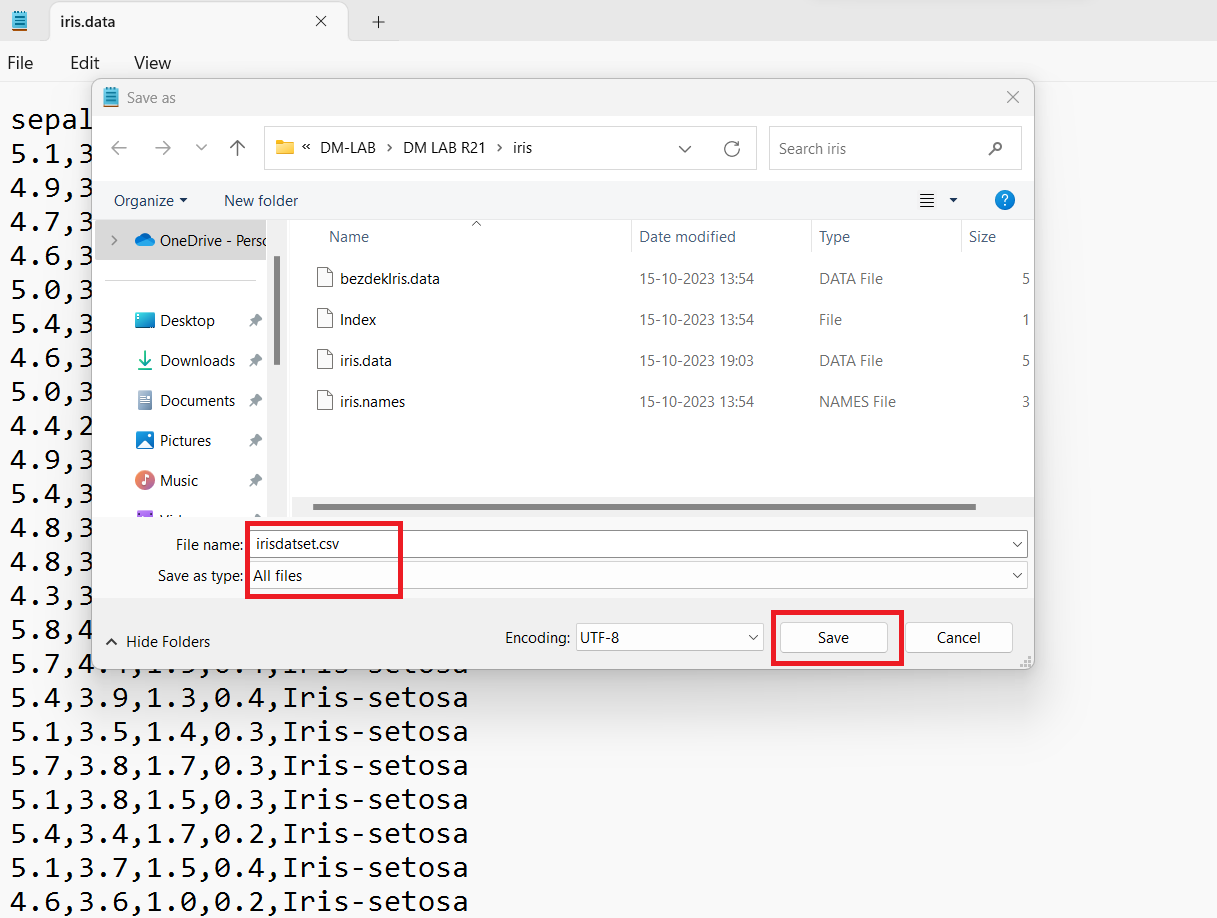
4) Save the file as .CSV (Comma Separated Values) format.
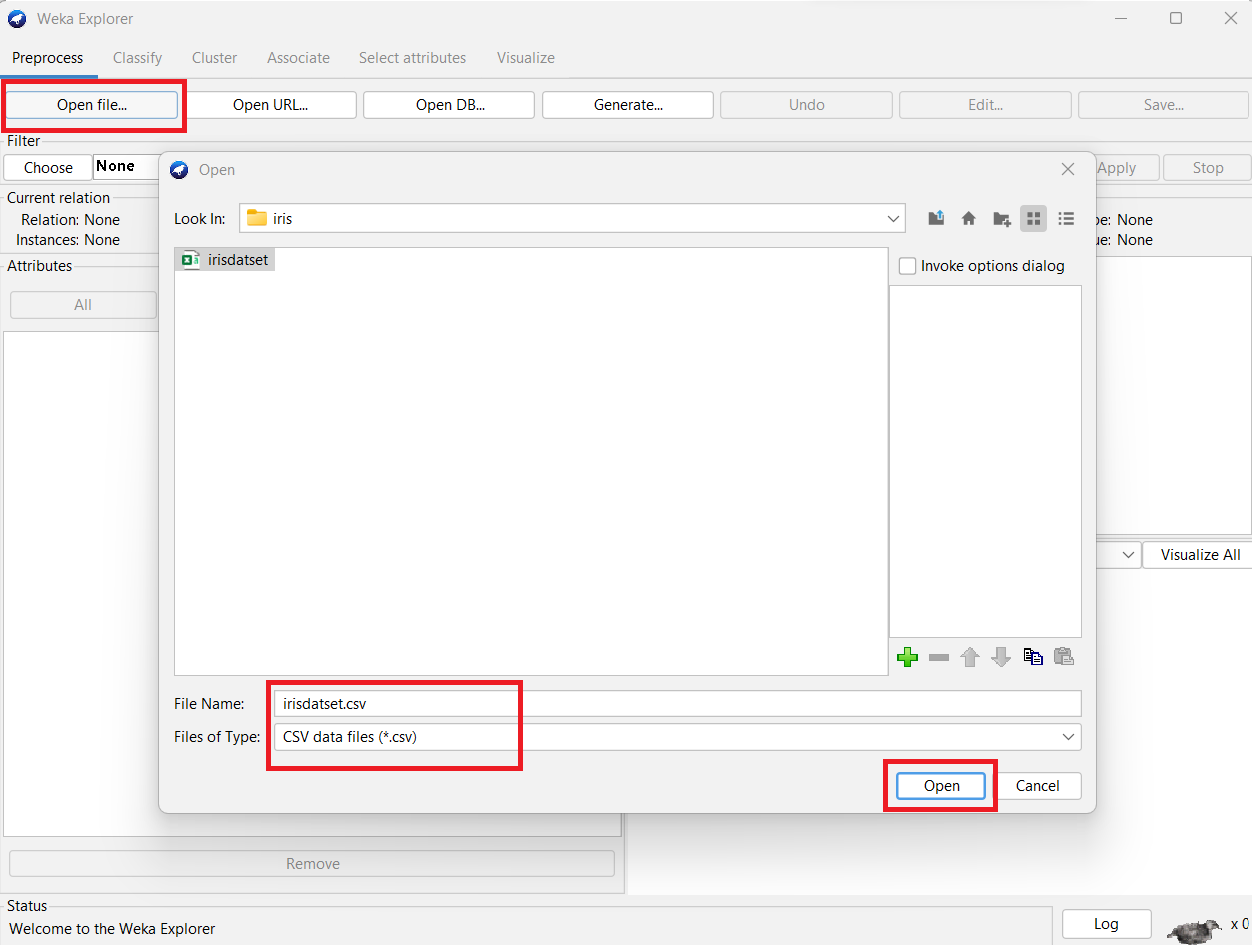
5) Open Weka tool and then click on Explorer. From the Preprocessor tab and open the CSV file.
6) Save that file as ARFF format.