
Demonstration of creating a Weather dataset (weather.arff) using WEKA tool in Data Mining
Creating a weather dataset (weather.arff):
Description:
We need to create a Weather dataset with the data instances which includes attributes like temperature, humidity, windy, outlook, play.
Procedure:
Steps:
1) Open any text editor (e.g. Notepad)
2) Type the following training data set in the Notepad.
	@relation weather

	@attribute temperature numeric
	@attribute humidity numeric
	@attribute outlook {sunny, rainy, overcast}
	@attribute windy {true, false}
	@attribute play {yes, no}

	@data
	65.0, 60.0, rainy, true, no
	64.4, 75.7, overcast, false, yes
	82.0, 86.8, sunny, true, no
	94.0, 75.0, sunny, false, yes
	67.4, 60.7, overcast, true, no
	73.6, 66.8, sunny, false, yes
	50.5, 86.7, rainy, true, no
	68.0, 0.6, rainy, false, yes
	79.0, 64.5, sunny, false, yes
	65.0, 96.0, rainy, false, yes
3) After that save the file with .arff file format.
4) Minimize the arff file and then open Start → Programs → weka-3.8.6.
5) Click on weka-3.8.6, then Weka GUI chooser is displayed on the screen.
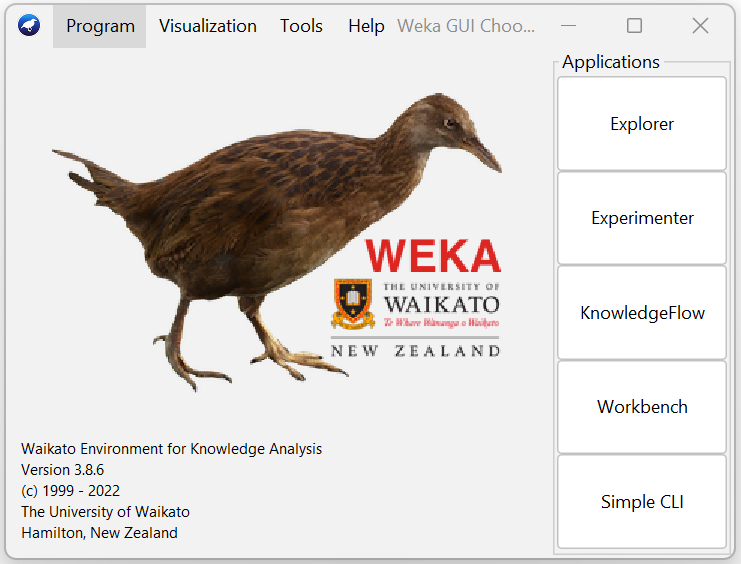
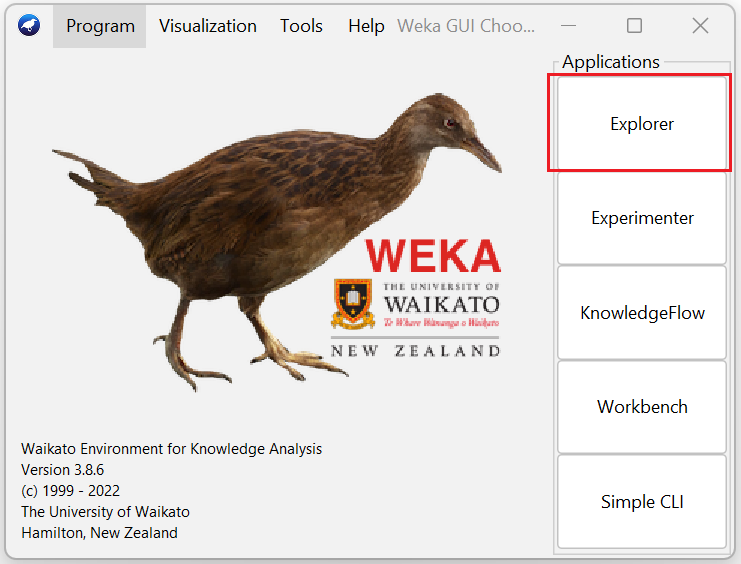
6) In that Weka GUI chooser there are five applications, click on Explorer.
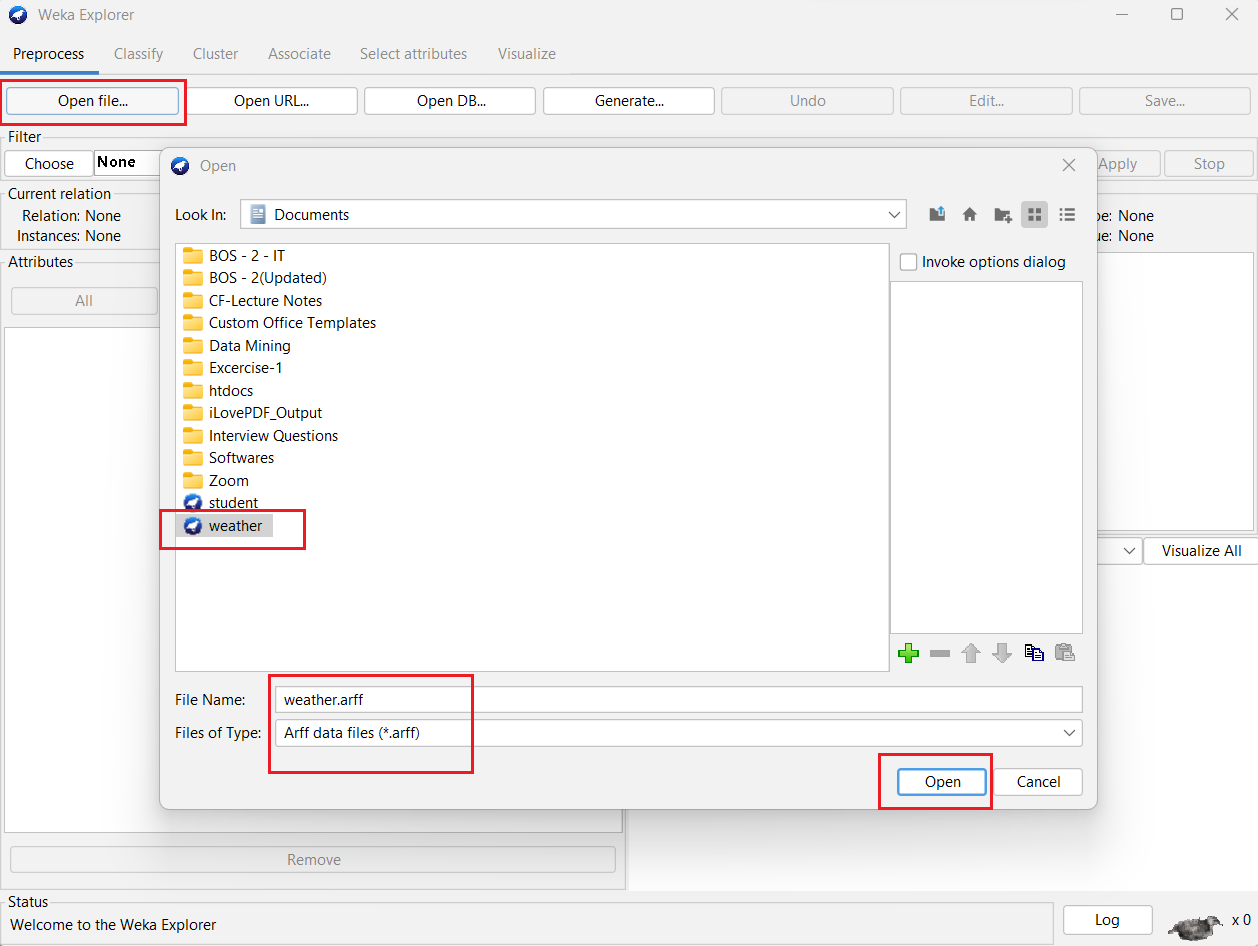
7) Explorer shows many options. In that click on 'Open file...' button and select the .arff file (e.g. weather.arff).
8) Click on edit button which shows weather table on weka.
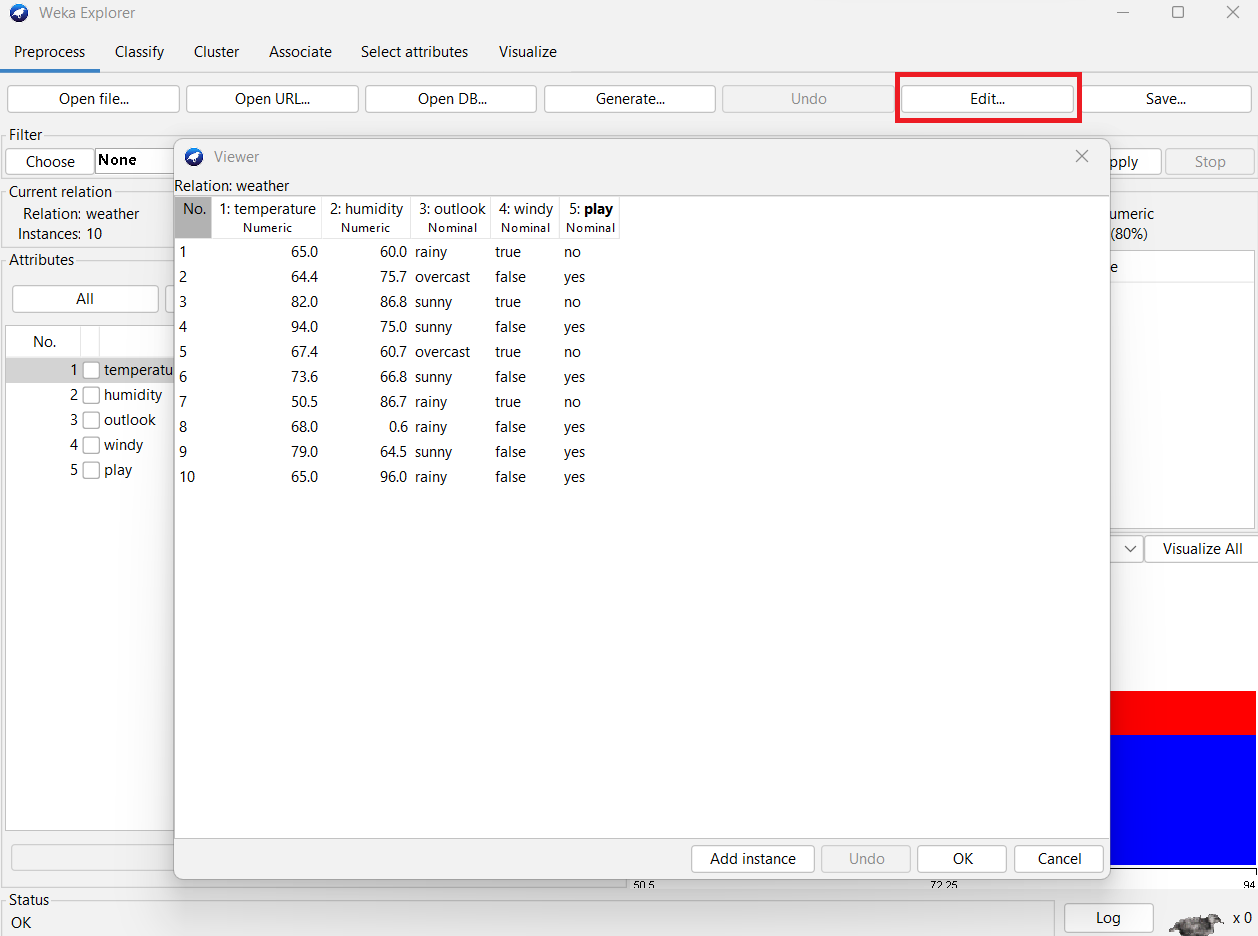
Result:
The weather dataset (weather.arff) was created successfully using WEKA tool kit.