Loading Data from different sources in WEKA.
Loading Data from different sources in WEKA :
In order to utilize Weka Explorer, it is essential to start by loading the data into the application.
Multiple sources are available for data loading within Weka Explorer.Those are,
- Local file system
- Web
- Database
- Generate Artificial Data
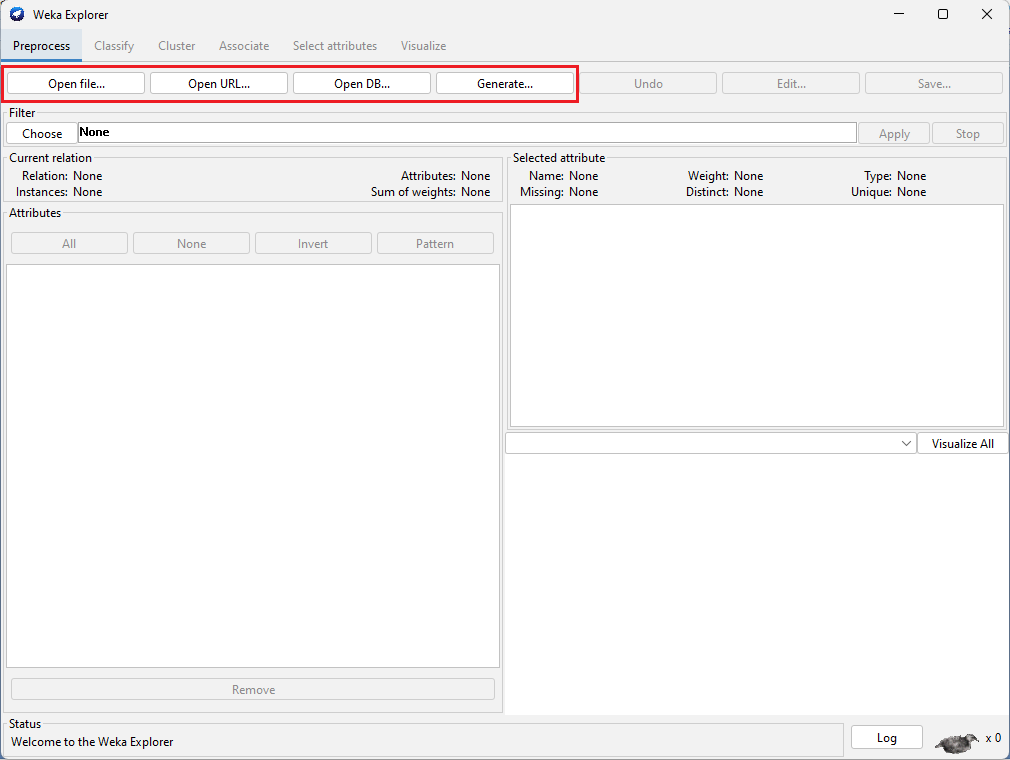
The diagram presented below provides a concise summary of the offerings provided by WEKA.
1. Loading data from Local file System:
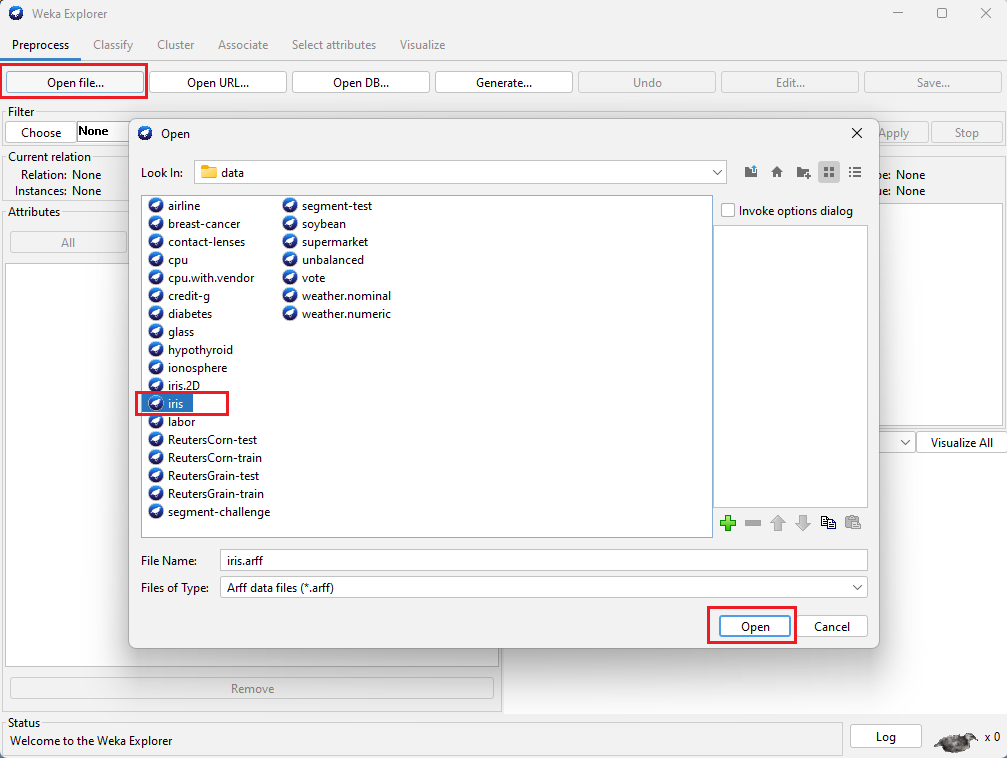
In this, we are going to load data from the Local File System by clicking on the Open file... button.
Steps:
Click on Open file... button.
Navigate the folder, where the data files are stored.
Select the required data file.
Click on Open button.
2. Loading data from Web:
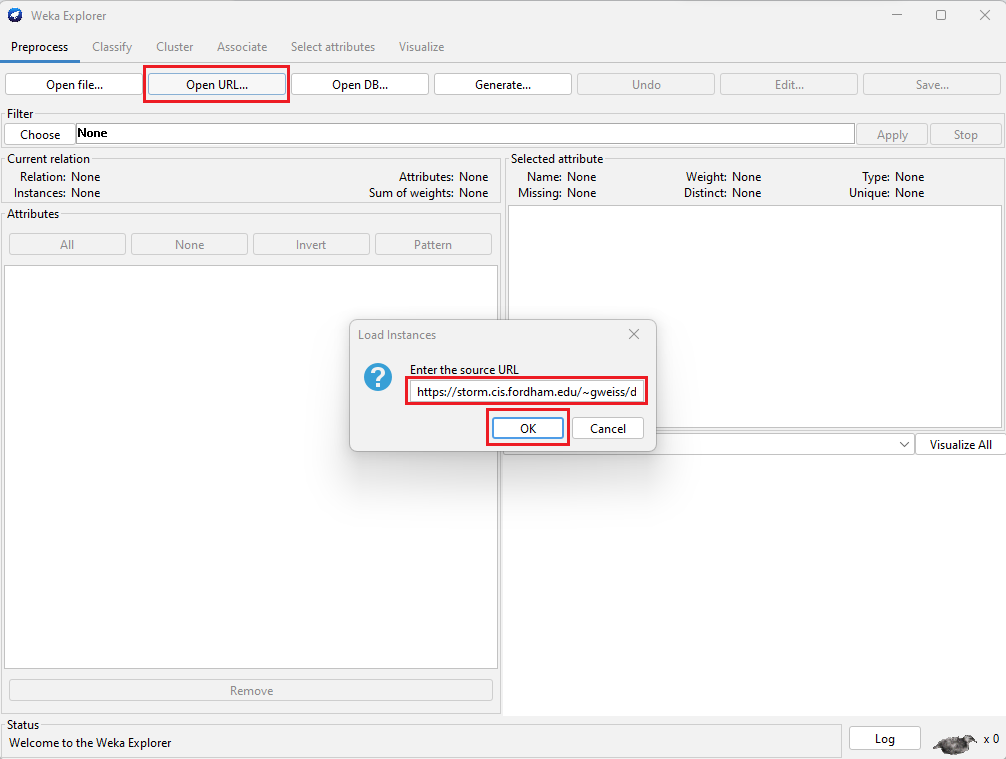
In this, we are going to load data from the Web by clicking on the Open URL... button.
Steps:
Click on Open URL... button.
Enter the URL of data source in the popup box.
Click on Ok button.
Example public Data source URLs are:
- https://storm.cis.fordham.edu/~gweiss/data-mining/weka-data/weather.nominal.arff
- https://storm.cis.fordham.edu/~gweiss/data-mining/weka-data/iris.arff
- https://storm.cis.fordham.edu/~gweiss/data-mining/weka-data/vote.arff
3. Loading data from Database:
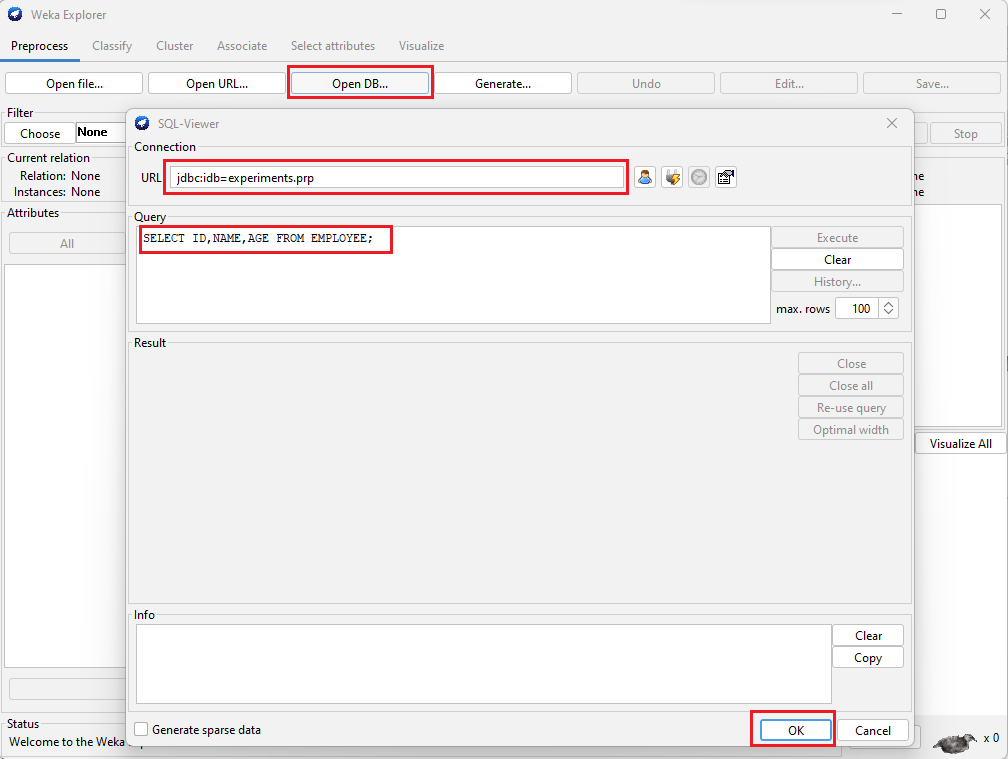
In this, we are going to load data from the Database by clicking on the Open DB... button.
Steps:
Click on Open DB... button.
Enter the Connection URL of database.
Type SQL Query to get data from Database table.
Click on Ok button.
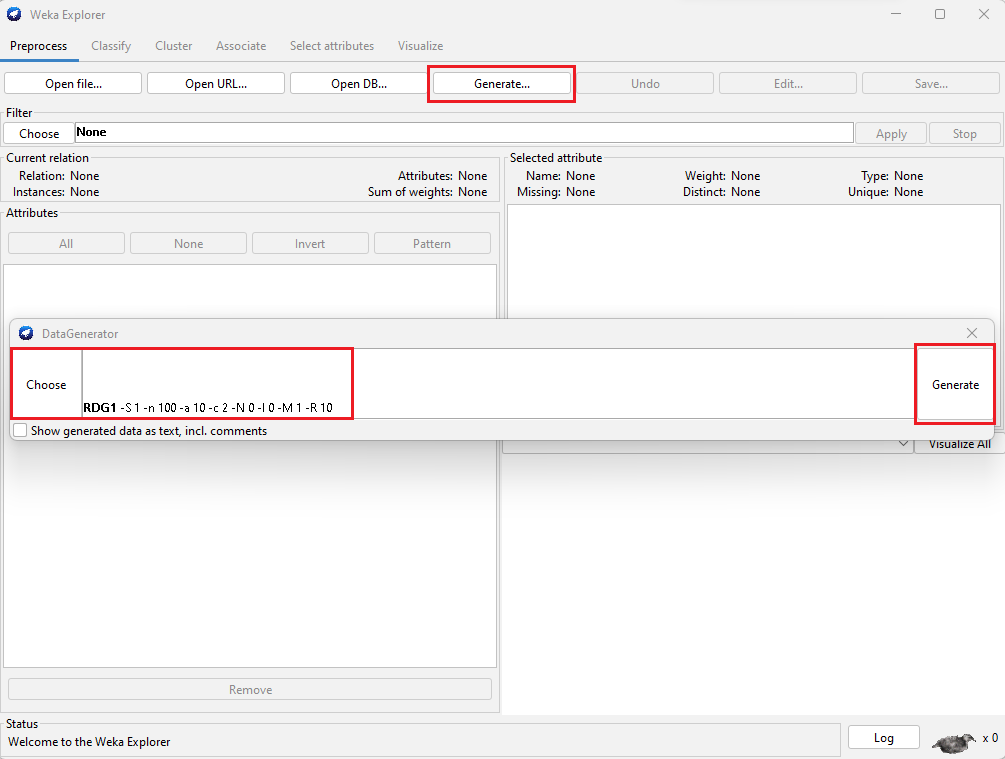
4. Generate Artificial Data:
In this, the artificial data (random data) will be generated by clicking on the Generate... button.
Steps:
Click on Generate... button.
Choose Data Generator.
Click on Generate button.